
DIVI PLUGIN · DIVI 5 & DIVI 4
Divi Image Mask Slider
A slider whose slides paint in through animated masks: brush strokes, watercolour, ink, silk, water and more. Pick one of ten mask styles, add your photos and words, and every change of slide becomes a small piece of art.
10 mask styles + fade
Divi 5 & Divi 4
From $9 a year
Live slider: it changes slide by itself every few seconds, or use the arrows.
TEN MASK STYLES
Pick the mask that suits your site
Each style is an animated mask that sweeps the next slide in. Every slider below is live and shows both of its style’s effects. Prefer something quieter? Choose No Style for a soft fade.
BRUSH MASKS · DIVI 5 & DIVI 4
The three hand-drawn originals.
Nature
STYLE 1
Soft, organic strokes, like paint on paper. Lovely for travel, food and lifestyle sites.
Building
STYLE 2
Bold, structured strokes. Suits architecture, interiors and business sites.
Urban
STYLE 3
Quick, rough strokes with energy. Made for fashion, events and bold brands.
NEW IN DIVI 5
Seven more styles, from watercolour to stardust.
Watercolor
STYLE 4
A soft wash of colour spreads out, or paint runs down in drips. For art, food and gentle brands.
Ink
STYLE 5
An ink splash bursts out, or ink smoke rises and curls. For bold, dramatic photography.
Brush
STYLE 6
A dry brush paints across in rough strokes, or the slide tears open like paper. For makers and studios.
Silk
STYLE 7
Silk ribbons sweep across, or a curtain fold moves in with fine threads. For fashion and weddings.
Petal
STYLE 8
Petals open one after another, or a rose unfurls from the centre. For florists, beauty and weddings.
Water
STYLE 9
Ripples spread from a falling drop, or a wave rises with foam. For travel, spas and the sea.
Stardust
STYLE 10
The slide drifts away as dust, or sparkles twinkle in. For jewellery, events and evenings.
No Style
SOFT FADE
No mask: the next slide simply fades in. A calm choice for any site. Divi 5 and Divi 4.
LIVE EXAMPLES
Divi image mask slider examples
Five sliders for five kinds of sites, each with its own mask, layout and fonts. They change slide by themselves; use the arrows to go faster.
01
Maison Lumière · An interior design studio
BUILDING MASK · TEXT LEFT · BADGE TOP RIGHT
MAISON LUMIÈRE · INTERIORS
Rooms that feel like home
Three projects, one per slide, each with a short story and a button to the full case study.
02
Aurelle · A jewellery shop
STARDUST MASK · PRODUCT IMAGE RIGHT · BADGES
AURELLE · FINE JEWELLERY
Made to be noticed
A product slider: the photo of the piece sits on the right, the story and the price on the left.
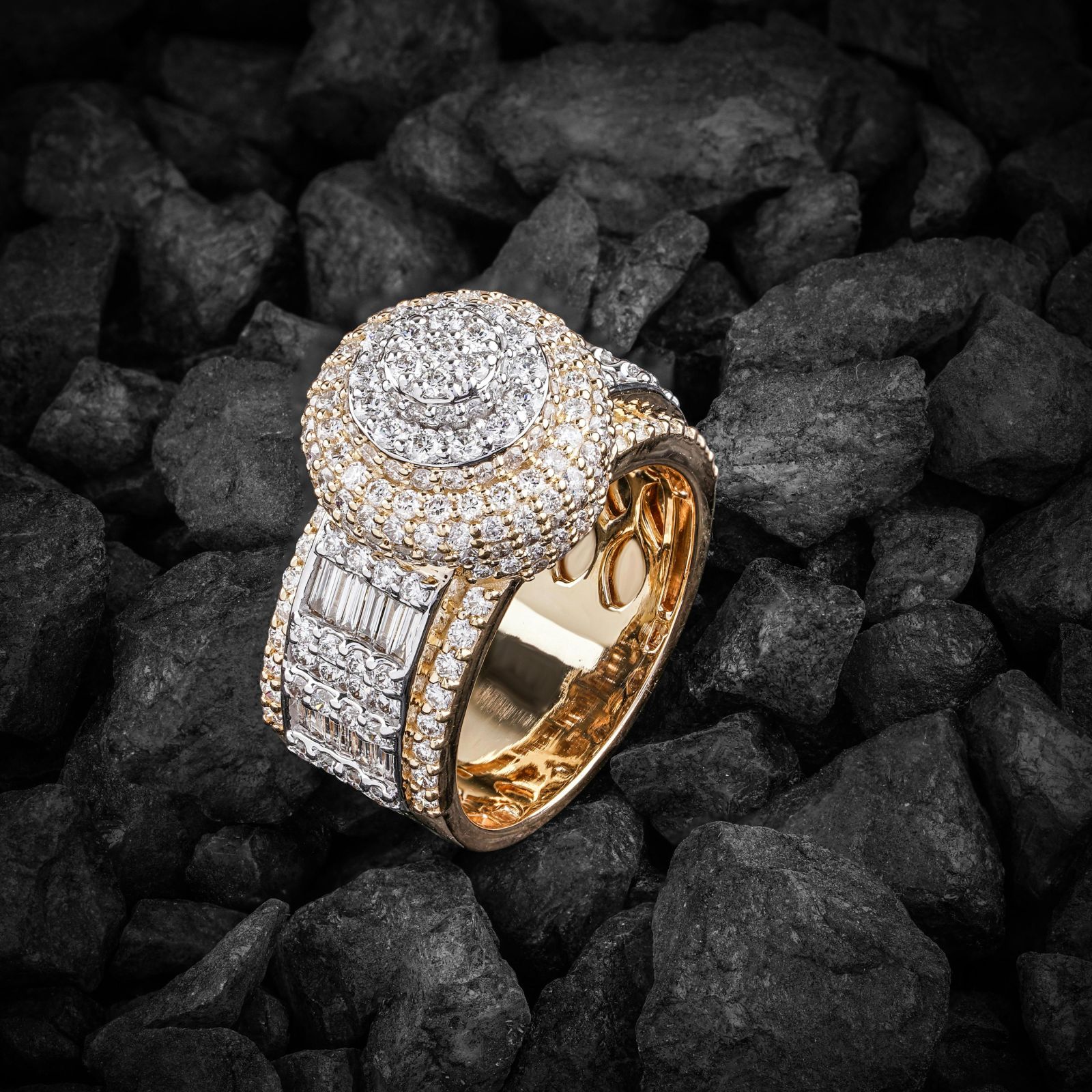
Solstice ring
Recycled gold · $1,480
A cluster of diamonds set in recycled gold, made to order in six weeks.
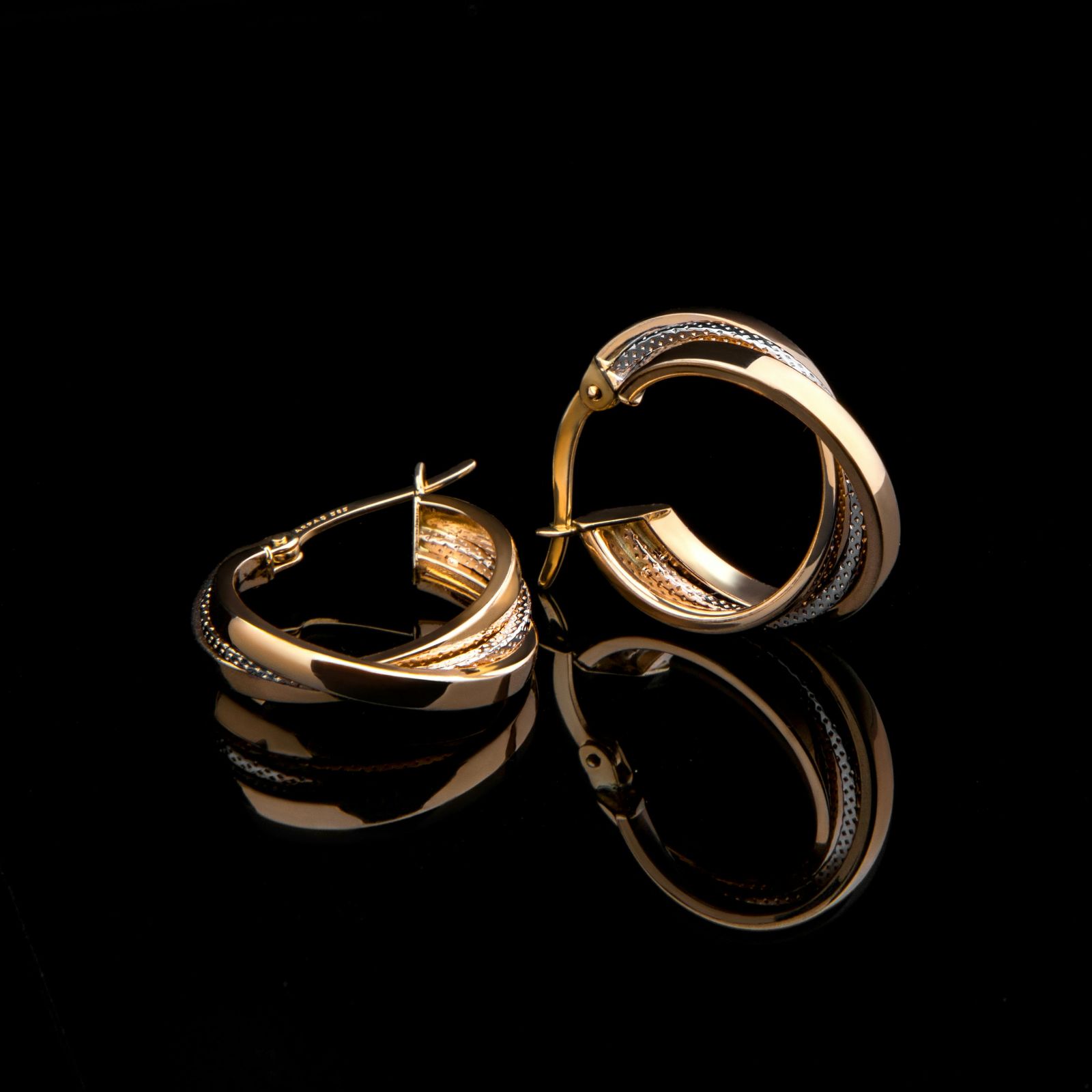
Lune hoops
18k gold · $640
Light enough to forget you are wearing them, bright enough to be asked about.
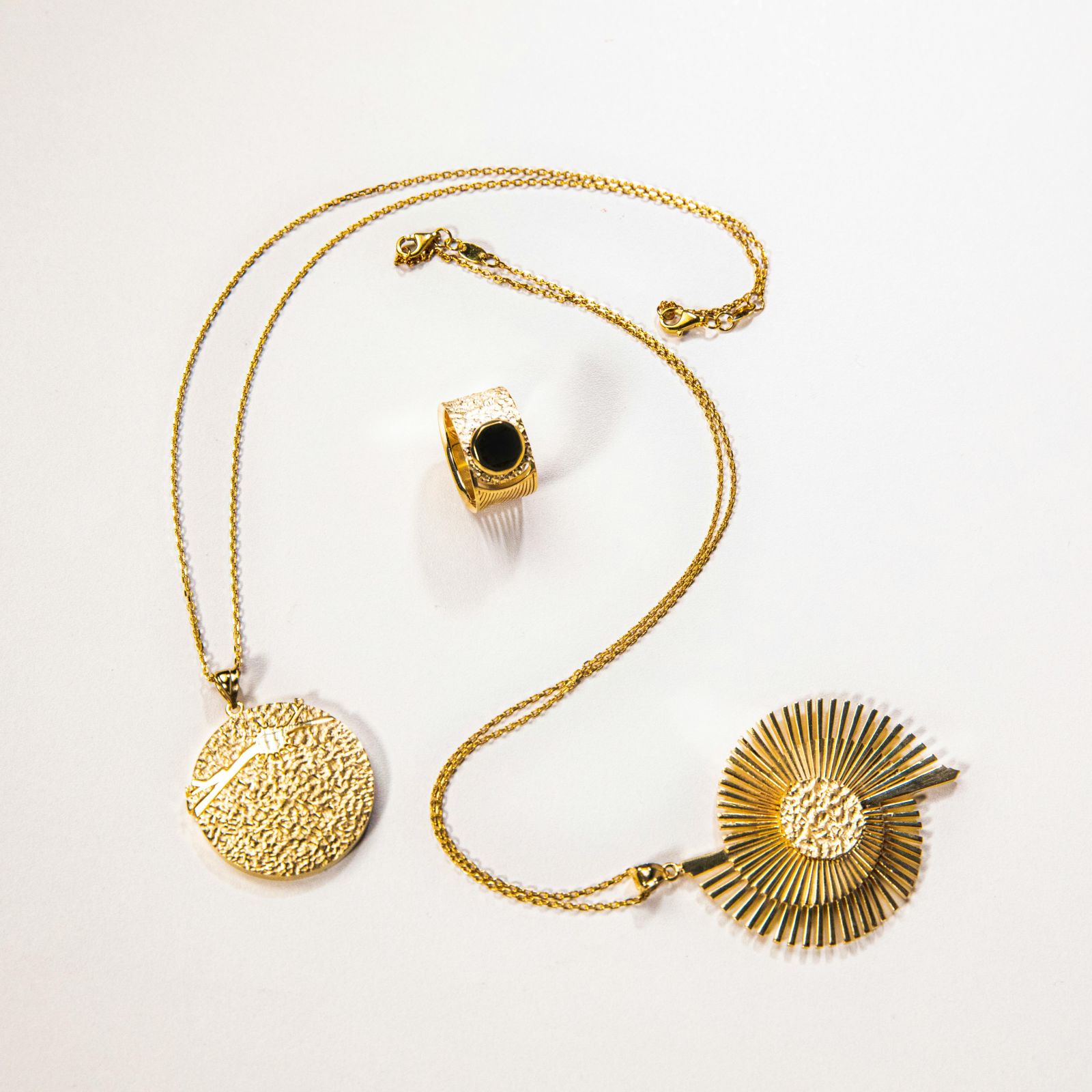
Coin pendant
Gold & onyx · $890
An old coin, recast in gold and hung on a fine chain, with an onyx ring to match.
03
Wanderlust Journeys · A travel company
WATER MASK · CENTRED · ARROWS IN THE MIDDLE
WANDERLUST JOURNEYS · SMALL-GROUP TRIPS
Go somewhere unforgettable
One destination per slide, centred over a big photo, with the trip length and a button.
04
Atelier Nord · A fashion label
SILK MASK · TEXT RIGHT · ARROWS TOP RIGHT
ATELIER NORD · SPRING COLLECTION
Quiet clothes, made to last
Silk ribbons sweep each new look in, and the text sits on the right.
05
Fuoco · A restaurant
INK MASK · CENTRED CARD · BADGE
FUOCO · WOOD-FIRED KITCHEN
Tonight’s plates
Dishes in a centred card on a dark photo, with a badge for the chef’s pick and a booking button.
FEATURES
Image Mask Slider features
Everything is a setting in the Divi Builder. No code, no extra libraries to set up.
Ten mask styles
Nature, Building and Urban brush masks in Divi 5 and Divi 4, plus Watercolor, Ink, Brush, Silk, Petal, Water and Stardust in Divi 5. Or choose No Style for a soft fade.
Autoplay
Slides change by themselves; set how long each one stays, in milliseconds.
Text and buttons
A title, subtitle, text and button on every slide, with the heading tags you choose.
Side images
Add a second image on the left or right of the text, with its own width, height and border.
Badges
Give any slide a badge, such as “New” or “Sale”, in one of four corners, styled your way.
Arrows your way
Six arrow placements, your own icons, and their size, colour and background.
Overlay and content box
A colour or gradient overlay keeps text readable; the content box has its own width, background and border.
Divi 5 and Divi 4
One plugin for both. Divi 4 sliders move to Divi 5 with their settings.
CUSTOMER REVIEWS
What customers say
Reviews from people who use the Image Mask Slider and other DiviGrid plugins.
“
Divi Image Mask Slider is packed with features and easy to use, you can get some really unique designs that i haven’t seen in other Divi plugins. Keep up the good work.
Mick Beswick
“
Customer service is fantastic the DiviGrid and Divi Image Mask Slider are winners and that starts with a great team backing them. Lots of unique options thanks for the support
Tim Kerney
“
I’m relatively new to Divi, but found this plug-in to be very helpful making a site just the way I want to see it without having to jugle other items.
Thomas Bogan
“
A fantastic selection of plugins which are intuitive to use. When I had a query support was on hand and very quick to resolve my question.
Heather Pedley
“
Easy to download and so far seems like a piece of cake to install and modify.. Thank you.
Roy Peterson
PRICING
Image Mask Slider pricing
One plugin, every feature in every plan. Choose by how many sites you build and how you like to pay.
Personal
$9 - Save 50%
$4.5
/ year
For your own website.
1 website
Every mask style and No Style
Every setting and layout
Divi 5 and Divi 4
Plugin updates
Agency
$49 - Save 50%
$24.5
/ year
For freelancers and agencies with many client sites.
Unlimited websites
Every mask style and No Style
Every setting and layout
Divi 5 and Divi 4
Plugin updates
Business
$79 - Save 50%
$39.5
once
Pay once and use it on every site, for life.
Unlimited websites, for life
Every mask style and No Style
Every setting and layout
Divi 5 and Divi 4
Plugin updates
Prices in US dollars. Yearly plans renew each year until you cancel. Secure checkout; questions before you buy? Ask our team, we reply within 24 hours.
HOW TO
How to add an image mask slider in Divi
1
Install the plugin
Upload Divi Image Mask Slider in Plugins › Add New and activate it with your licence key.
2
Add the module
In the Divi Builder, add the Image Mask Slider module to any row.
3
Add your slides
Each slide needs a background photo (the mask paints it in); add a title, text, button, side image or badge if you like.
4
Pick a mask and style
Choose one of the ten mask styles or No Style, set the speed, then style the text, arrows and overlay.
FAQ
Image Mask Slider FAQ
Short answers about the Divi Image Mask Slider plugin.
More questions? Ask our team, we reply within 24 hours.
A slider where the next slide doesn’t just slide or fade in: it appears through an animated mask, such as a brush stroke, a watercolour wash or a ripple, that sweeps across the photo.
Yes. One plugin works in both, and sliders built in Divi 4 move to Divi 5 with their settings. The seven newest mask styles (Watercolor to Stardust) need Divi 5.
No. Divi Image Mask Slider is a separate plugin from the DiviGrid team, sold on its own.
Ten. Nature, Building and Urban work in Divi 5 and Divi 4. Watercolor, Ink, Brush, Silk, Petal, Water and Stardust are for Divi 5. You can also choose No Style for a simple fade.
Yes. Each slide has a title, subtitle, text and a button, and you can add a side image and a badge.
Yes. It changes slide automatically; you set how long each slide stays. Visitors can also use the arrows.
Every plan has every feature. Personal is for one site per year, Agency for unlimited sites per year, and Business is a one-time payment for unlimited sites.
Explore more DiviGrid modules
Mask Transition Slider
A DiviGrid slider whose masks play as visitors scroll.
Image Carousel
Photo carousels with coverflow, cube and flip effects.
Image Accordion
Photo panels that open on hover or click.
Before & After
Compare two photos with a sliding handle.
GET STARTED
Give every slide a mask of its own
Divi Image Mask Slider starts at $9 a year, with every feature in every plan.
Secure checkout
Support replies within 24 hours