
Divi Horizontal Timeline
Tell your story, left to right.
DG Horizontal Timeline is a Divi 5 timeline module: dates, milestones and steps on one line that people can swipe, drag or click through. Cards sit above, below or alternating, with photos, icons, numbers or avatars on the line. Ten real uses below, from company history to a fundraiser.
Live examples
Explore 10 Divi timeline examples
Drag, swipe or use the arrows on each timeline. All ten are one DG Horizontal Timeline module with a different layout, marker and line style.
USE CASE 01 · COMPANY HISTORY
From a kitchen table to 120 people
The classic “About us” timeline: a photo for each year, cards alternating above and below the line, arrows and dots to move through the years.
Cards: alternate · Media: photo · Marker: ring

It starts at a kitchen table
Two friends, one laptop and a list of 40 local shops to call.

Our first real office
Six desks above a bakery. The smell of bread was free.

New York calling
Our first office abroad, and our first client with a skyline.

Home base in Lisbon
We moved the team to the sea, and never looked back.

Remote by choice
Half the team now works from 14 countries, coffee in hand.

120 people strong
Still small enough to know every name and every dog.
USE CASE 02 · PRODUCT ROADMAP
What we shipped, and what’s next
Each quarter has its own marker icon and accent colour: green for shipped, amber for in progress, grey for planned. The date is a ribbon in the card’s corner.
Marker: icon per item · Date: ribbon · Accent: per item
USE CASE 03 · ORDER TRACKING
Where’s my parcel?
Five steps that always fit on the screen, so there is nothing to scroll: no arrows, no dots. Icons sit on the line, times sit under it, and the cards are see-through.
Items in view: 5 · Date: on the line · Cards: no background
USE CASE 04 · EVENT AGENDA
Design Summit · Day one
Speaker photos sit on the line as markers. The timeline moves on by itself every 4 seconds and stops when someone hovers over it.
Marker: speaker photo · Autoplay: 4 s, pause on hover · Date: box style
Opening keynote
Mia Torres · Why calm design wins

Type that talks
Kai Nakamura · Fonts with feelings

Lunch & demos
Garden terrace · 40 product demos
Shipping weekly
Daniel Park · Small teams, big rhythm

Design for trust
Emma Lind · Forms people finish

Sunset drinks
Rooftop · live DJ until 21:00
USE CASE 05 · WEDDING WEBSITE
Our story, Sofia & James
A soft, romantic timeline for a wedding site: heart icons on a fine line, tall portrait photos, and a pin connecting each card to its moment.
Marker: heart icon · Connector: pin · Line: thin
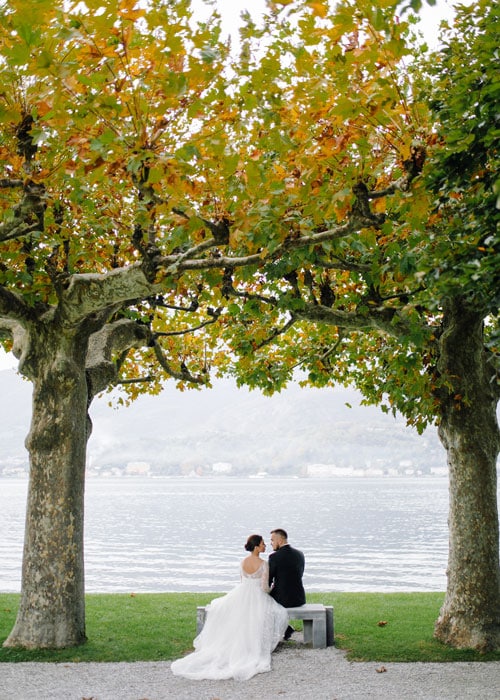
We met
A rainy book fair in Porto, the same book, one copy.

First trip
Ten days, one tent, a lot of laughing.

Moving in
A tiny flat with a big window and two plants.

The question
On the same bridge where we had our first walk.

I do
12 September · Quinta da Serra, Sintra.
USE CASE 06 · RÉSUMÉ
Ten years, five teams
A CV that reads like a story. Company logos sit on the line, the dates sit above each title, and all cards share one side.
Marker: logo image · Cards: above · Date: above the title
Junior designer · Northwind
Icons, banners and my first design system.

Product designer · Lumen
Shipped the mobile app to 2M people.

Senior designer · Fable
Led checkout. Conversion up 18%.

Design lead · Orbit
A team of six, and a lot of whiteboards.

USE CASE 07 · ONBOARDING
Get set up in five steps
Numbered markers count the steps for you, and each card ends with a button to the right page. Arrows sit at the bottom, under the steps.
Marker: number (auto) · Card: button · Arrows: bottom centre
USE CASE 08 · AGENCY PROCESS
How we work
Each phase gets a big icon at the top of its card, the line is dashed, and the markers are simple dots. Drag it with the mouse or swipe on a phone. Media: icon · Line: dashed · Marker: dot
USE CASE 09 · TRAVEL ITINERARY
Seven days on the Portuguese coast
One card per day with a photo. The active day is held in the centre, cards sit above the line, and on phones it stays a swipeable strip. Highlight: centre · Phone: swipe · Cards: above
Lisbon
Trams, tiles and custard tarts.

Sintra hills
Palaces hiding in the fog.

Atlantic road
Windows down, music up.

Comporta
Rice fields and empty beaches.

Alentejo coast
Cliffs, storks and grilled fish.

Lagos
Kayak into the sea caves.

Sagres sunset
The end of Europe, glowing.
USE CASE 10 · FUNDRAISER
€72,400 raised for 3 new wells
Milestones a charity has reached, and the ones still ahead. Reached milestones have filled markers and the progress line; the start is set to the last item, so visitors see the goal first.
Start at: last item · Marker: icon · Date: pill
What it is for
What you can build with a horizontal timeline
A timeline turns a list of dates or steps into a story with a direction. Horizontal timelines keep it compact: one row people move through, instead of a long scroll.
- Company history with a photo for each year on the About page.
- Product roadmaps with shipped, in-progress and planned items in different colours.
- Order tracking and onboarding steps that fit on one screen.
- Event agendas and travel itineraries with speaker photos or day-by-day cards.
- Résumés, wedding stories and fundraisers with milestones reached and still ahead.
Features
Divi timeline features
Layouts and cards
Put the cards above the line, below it or alternating, choose how many items are in view (1–4 or all), and keep card heights equal. Each card has a date, title, text, image or icon and a button.
Markers and line
Show dots, icons, numbers or images on the line; make the line solid, dashed or dotted; and fill a progress line up to the item you choose.
Navigation
Arrows in several positions and styles, dots, drag with the mouse, swipe on touch screens, and autoplay that pauses on hover.
Phones and tablets
Keep the swipeable strip on phones, or switch to a vertical list on phones only or on phones and tablets.
How to create a timeline in Divi
Divi has no timeline module of its own; this one works like any other Divi module.
- Add the DG Horizontal Timeline module.
- Add a timeline item for each date or step, with its title, text and image or icon.
- Choose the card side, the number of items in view and the marker style.
- Set the navigation, autoplay and the phone layout.
Why use DiviGrid’s Horizontal Timeline
Building a timeline from rows and columns gets messy as soon as dates are added or moved. Here each moment is one item you can reorder.
- Add, reorder or remove moments without rebuilding the layout.
- A choice of vertical list or swipe strip on phones.
- Title heading levels you choose, so the page outline stays clean.
- One module for history, roadmaps, steps and agendas.
REVIEWS
Voices of Satisfaction
Hear directly from our cherished clients.
★★★★★
“
DiviGrid made my portfolio look professional without any developer help. The filterable grid module saved me hours of work!

Mohammad Sobhy
★★★★★
“
Customer service is fantastic the DiviGrid and Divi Image Mask Slider are winners and that starts with a great team backing them. Lots of unique options thanks for the support

Tim Kerney
★★★★★
“
It’s a wonderful world to discover. However, I would appreciate some improvement in: – translation (french for instance) – documentation (the search engine is too weak).

Pierre Moser
★★★★★
“
I’ve had almost no issues with Divigrid – like maybe 2 in one year. Their support was immediate and with a resolution. I’ve been working with WordPress & Divi for over six years now and have tried many plugin module developers. Divi Grid has given me consistently excellent results so their plugins are my primary choice.

Bonnie Unsworth
★★★★★
“
A fantastic selection of plugins which are intuitive to use. When I had a query support was on hand and very quick to resolve my question.

Heather Pedley
★★★★★
“
Great software at an amazing price. I like it.

Pedro de Pradines
★★★★★
“
This is a great plugin. there is no doubt. work well all features are like magic. requesting you divigrid team to create tutorials also on YouTube for some advanced options and open a forum site. It has vast features to talk about.

Shezan Ahmed
★★★★★
“
I’m relatively new to Divi, but found this plug-in to be very helpful making a site just the way I want to see it without having to jugle other items.

Thomas Bogan
★★★★★
“
I’m so happy with customer service! While I’m not a beginner with Divi I needed help and it came quickly. I’m really enjoying everything I can do with the content grid and can’t wait to get into the list grid!

Valerie Robitaille
FAQ
Timeline questions
What people ask before adding a timeline to Divi.
No, Divi does not include a timeline module. DG Horizontal Timeline adds one, which you edit in the Visual Builder like any other module.
You choose: keep a swipeable strip of cards, or switch to a vertical list on phones, or on phones and tablets.
Yes. Turn on autoplay and set the delay; it pauses when someone hovers it.
Yes. Give each item its own marker icon and accent colour, for example green for shipped and amber for in progress, as in the roadmap example above.
Yes. Set Start At to the last item so visitors see the latest date or the goal first.
Keep exploring
Related Divi modules
Looking for something else? Browse all DiviGrid modules or see the Divi 5 plugin compatibility list.
Every story has a timeline.
DG Horizontal Timeline is part of DiviGrid for Divi 5. Add an item for each moment, pick a layout, and style the line, markers and cards in a few clicks.