
DG ADVANCED MENU · DIVI 5
Divi Menu & Header Builder
Logo, menu, mega menus, search, buttons, woocommerce cart and a mobile menu in one module. Build any professional header in the Divi builder, without code.
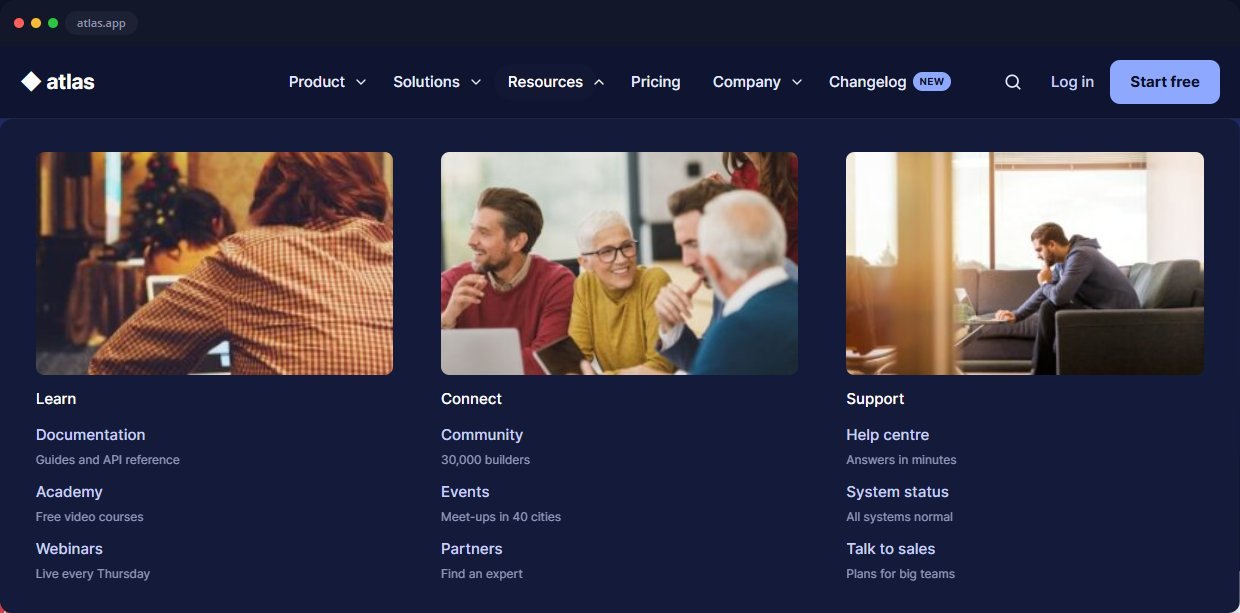
Live demo: hover the menus on divigrid.xyz
8 HEADER DESIGNS
Professional Divi headers, built with one module
Each picture is a real header made only with DG Advanced Menu settings. Click “See the design” to open the live demo: hover the menus, open the mega menus and make the window narrow to see the mobile menu.
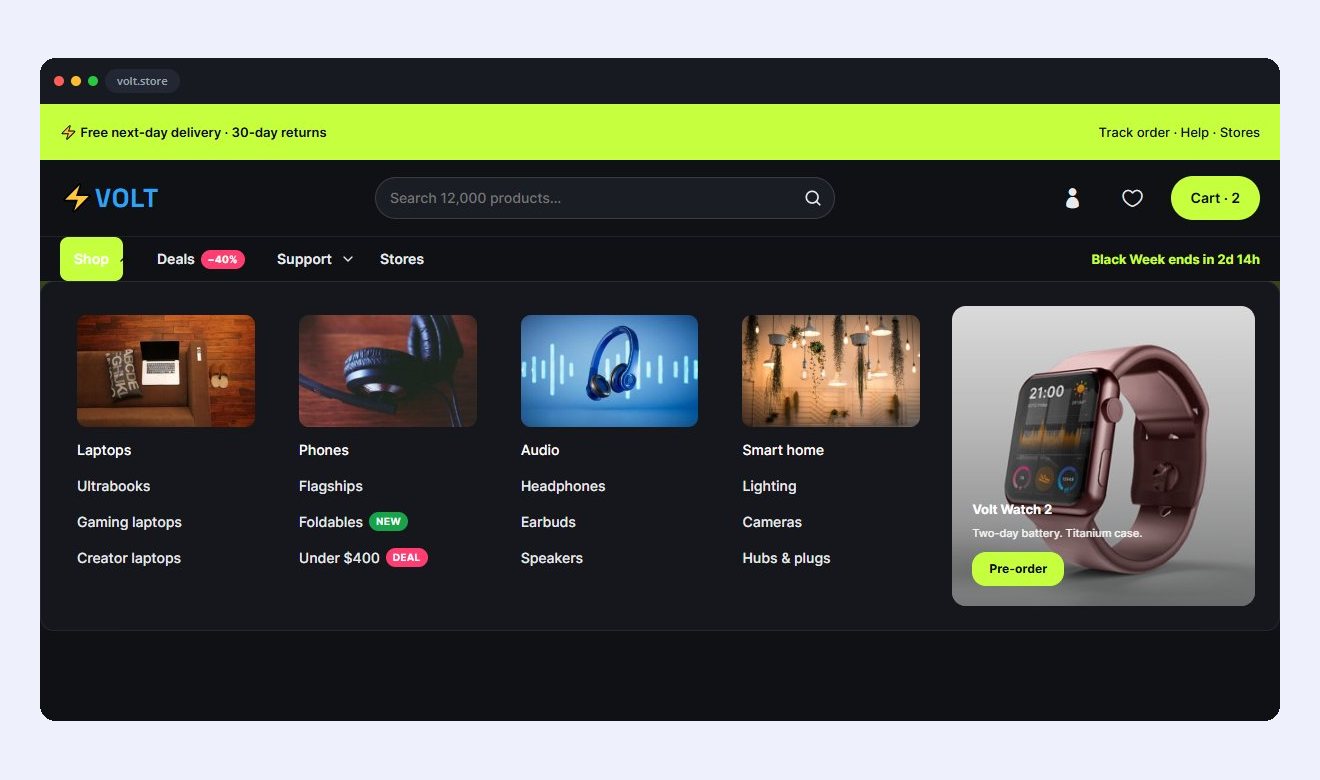
01 · ELECTRONICS STORE
Volt
A lime offer bar, a search bar in the header and a four-column product mega with photos and a launch promo.
3 ROWS · INLINE SEARCH · PRODUCT MEGA
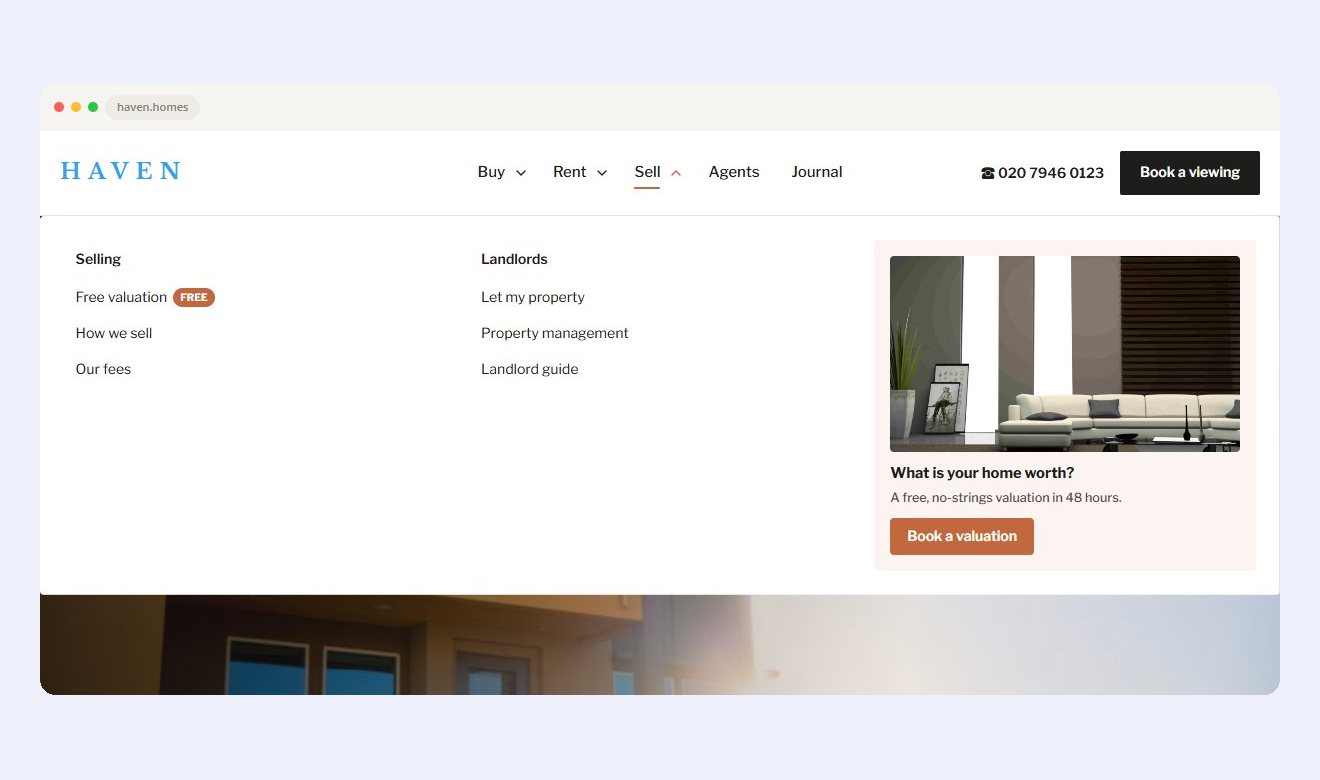
02 · REAL ESTATE
Haven
A photo card for every home type, a valuation offer in the Sell menu and a phone number beside the button.
PHOTO MEGA · VALUATION PROMO · BOTTOM SHEET
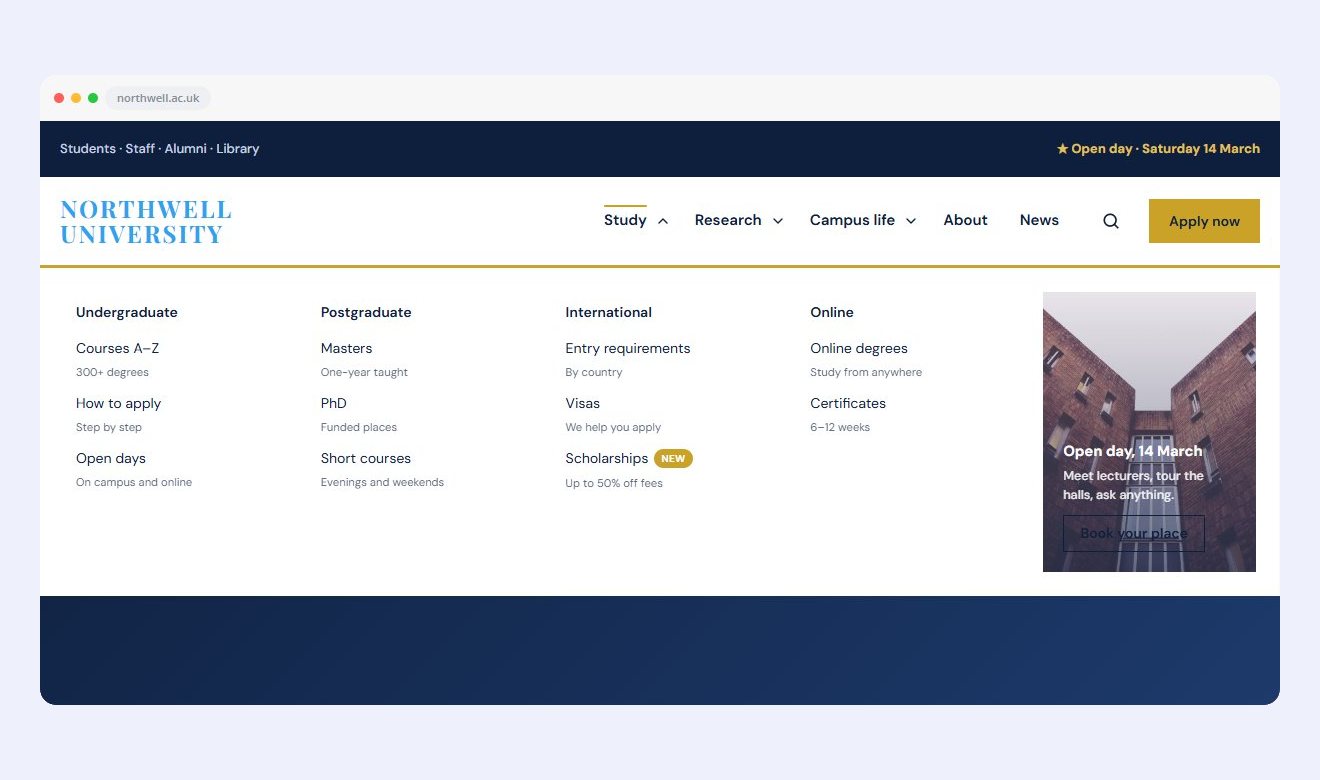
03 · UNIVERSITY
Northwell
A navy bar for students and staff, four columns with a short line under every link, and an open-day promo.
TOP BAR · 4-COLUMN MEGA · SEARCH POPUP
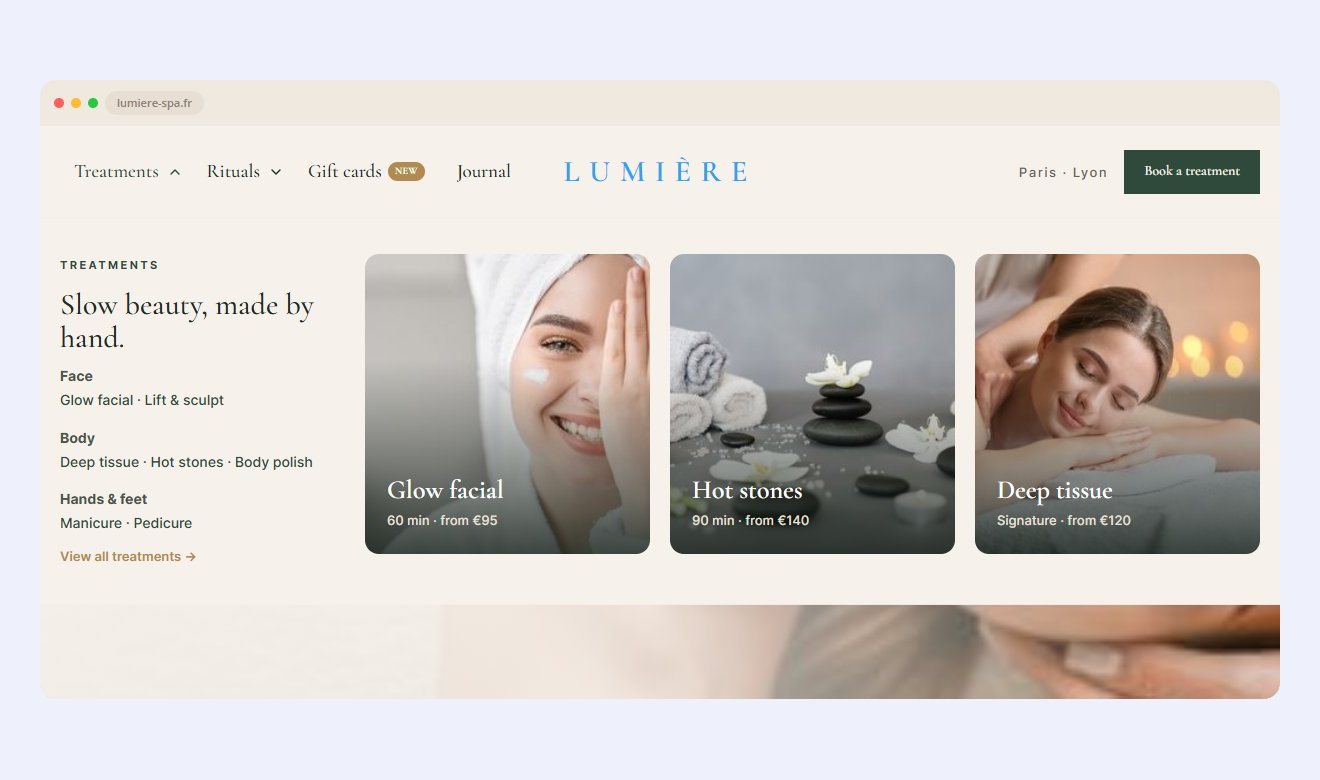
04 · LUXURY SPA
Lumière
The logo sits in the centre. The Treatments panel is a Divi Library layout, so it can hold anything.
CENTRED LOGO · DIVI LAYOUT MEGA · TEXT ROLL
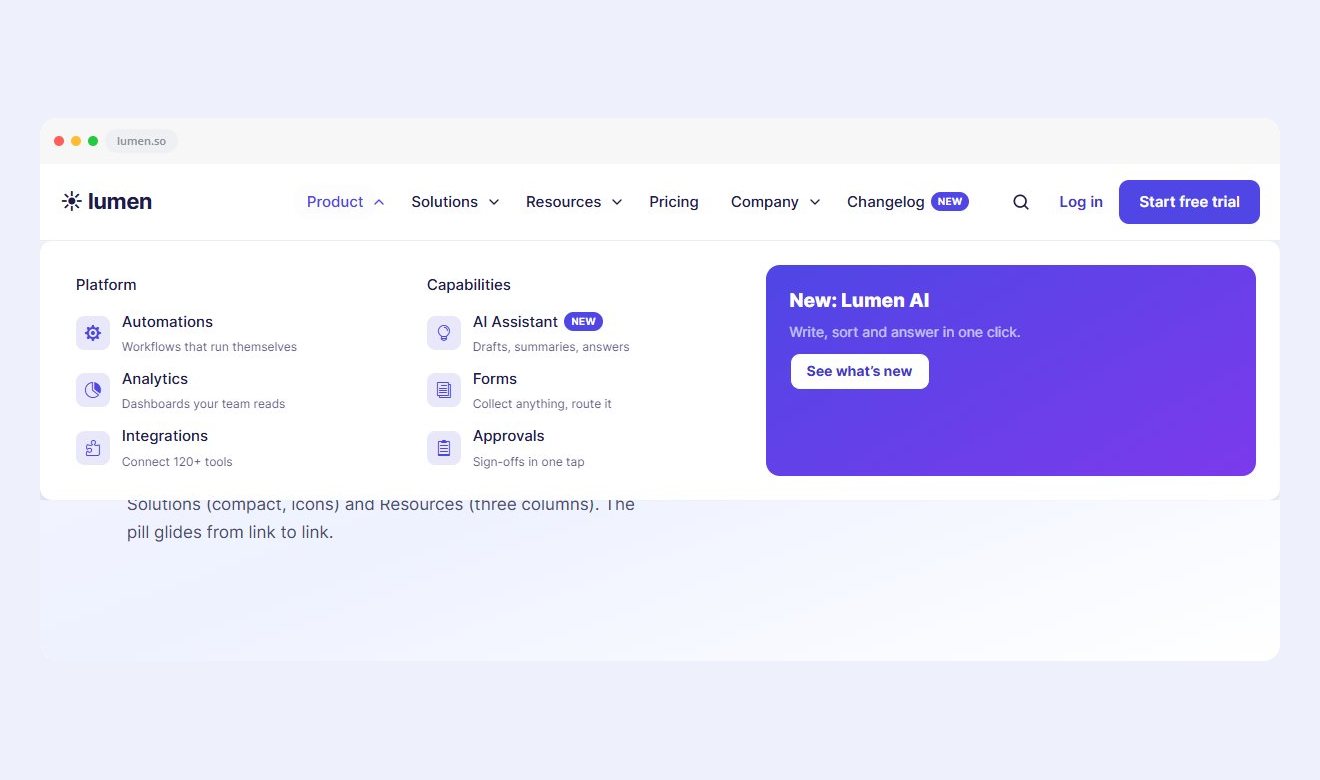
05 · SAAS PRODUCT
Lumen
Product, Solutions and Resources megas with icons, short descriptions, a New badge and a gradient promo card.
3 MEGA MENUS · ICONS · PROMO CARD
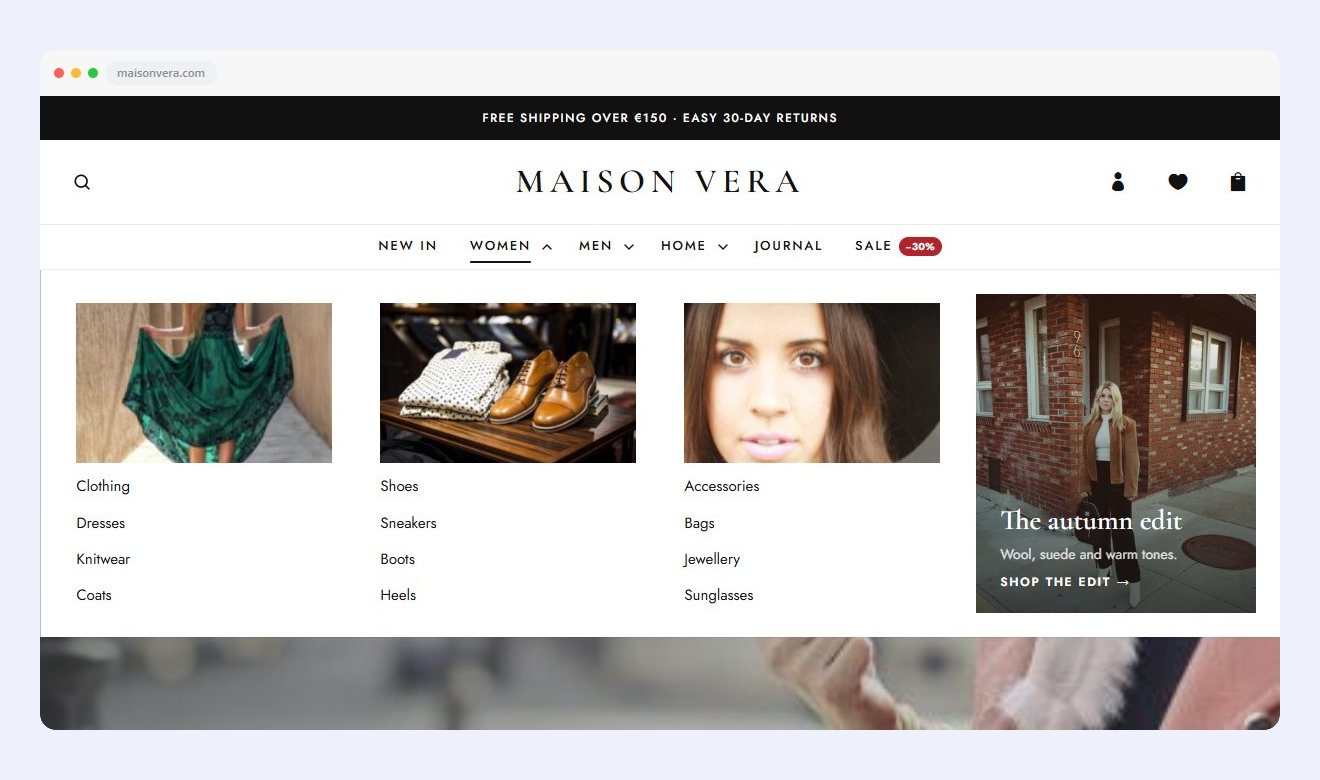
06 · FASHION STORE
Maison Vera
A shipping notice, a centred logo and photo-card megas with a promo where the text sits on the photo.
NOTICE BAR · CENTRED LOGO · PHOTO CARDS
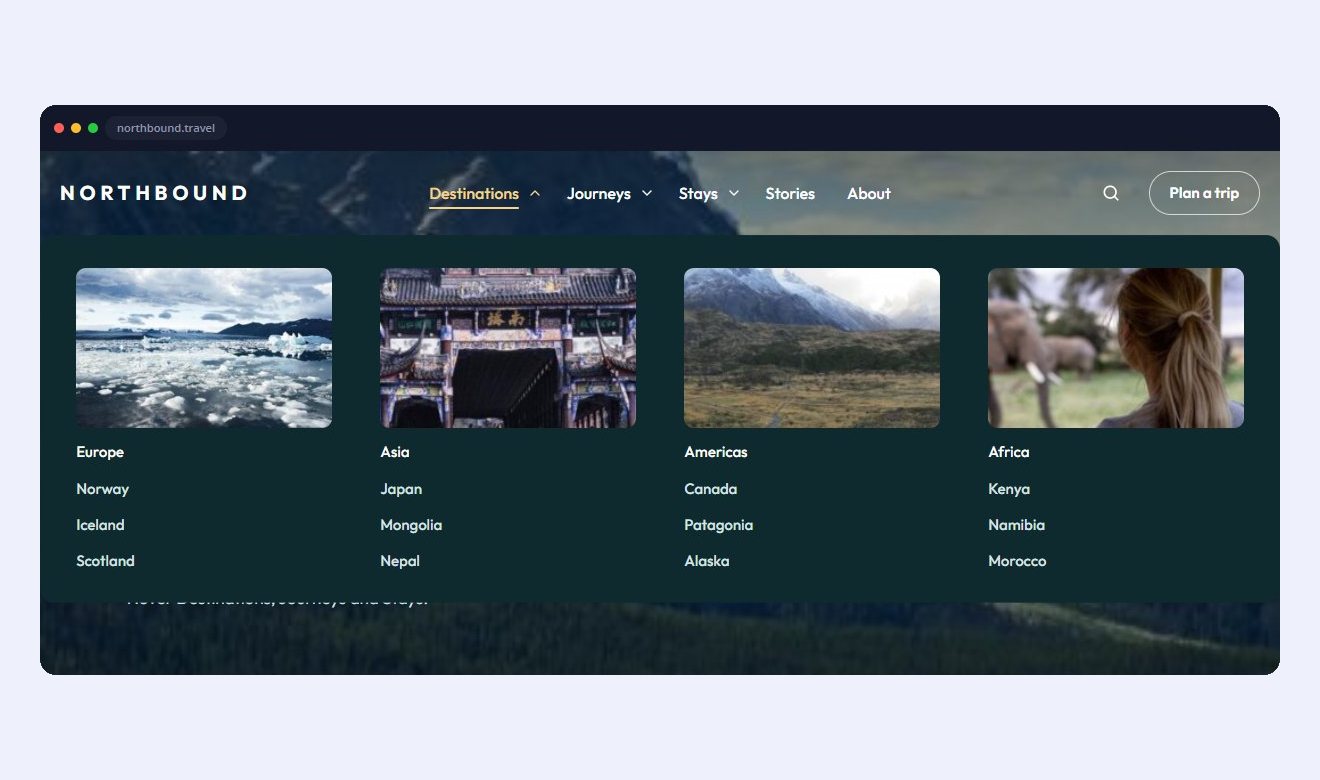
07 · TRAVEL COMPANY
Northbound
The header sits right on the photo. Destinations opens photo cards, and the phone menu is frosted glass.
TRANSPARENT HEADER · CARD MEGA · GLASS MENU
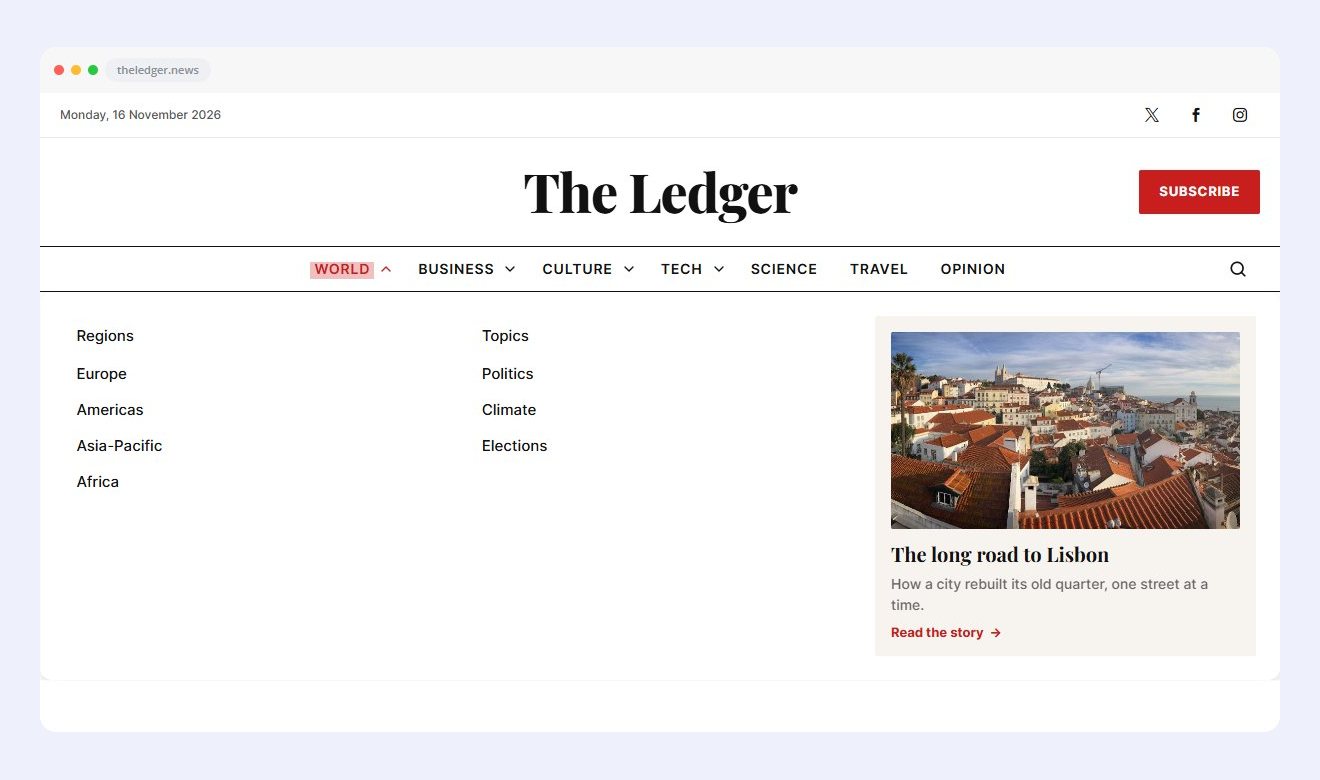
08 · NEWS MAGAZINE
The Ledger
A big masthead, a category bar with four megas, a featured story card and a search popup.
MASTHEAD · 4 MEGA MENUS · FEATURED STORY
DROPDOWNS AND MEGA MENUS
Six kinds of dropdown, set per link
Every top link in your menu can open its own kind of panel. Mix them in one header: a mega menu for Shop, a simple dropdown for About.
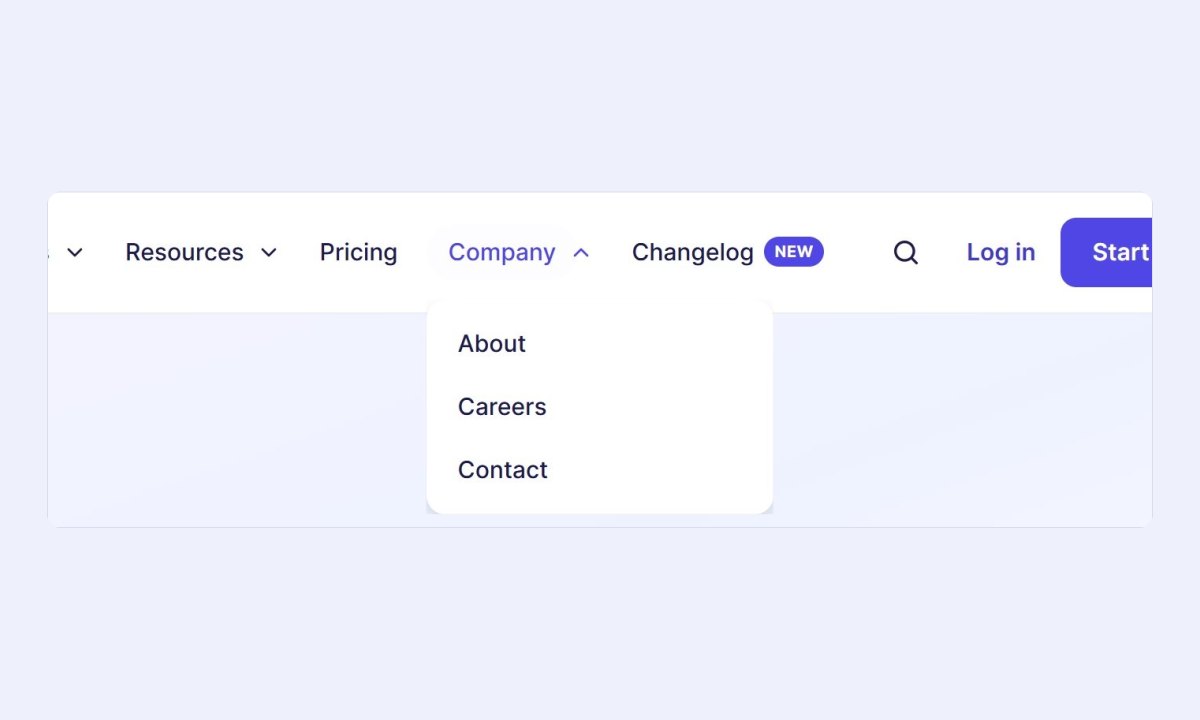
01
Simple dropdown
A short list under the link, for small menus like About or Company.
Submenu: Dropdown · seen in Lumen

02
Compact mega
Only as wide as its columns, with an icon beside every link. Good for Solutions or Services.
Mega: columns · Width “Content” · link icons · seen in Lumen
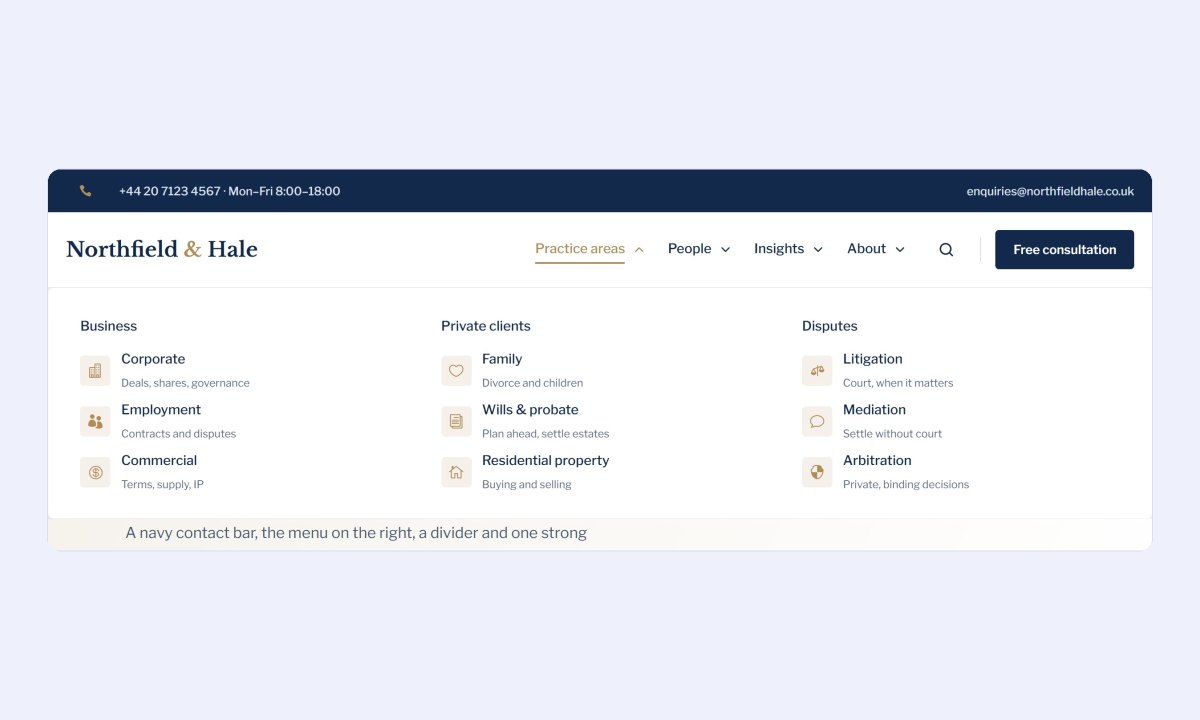
03
Columns with icons and descriptions
The columns come from your WordPress menu. Every link can have an icon and a short line under it.
Mega: columns · icons · descriptions · seen in Northfield & Hale
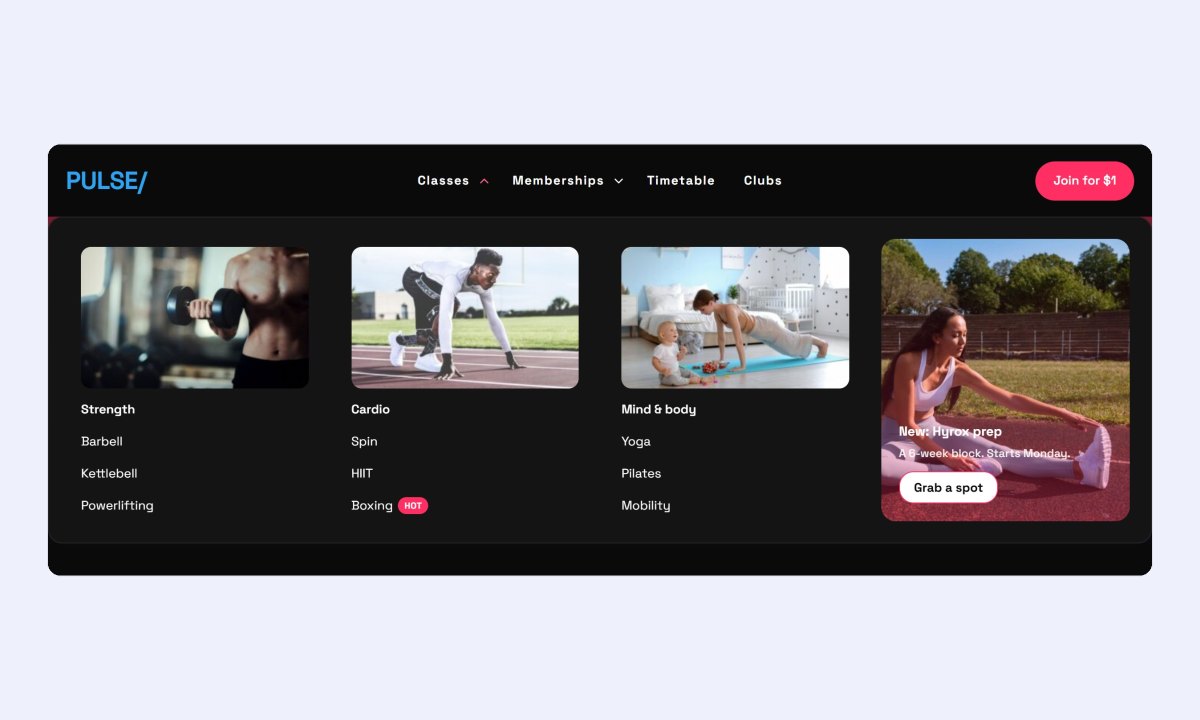
04
Photo cards
Turn on “Show link images as cards” and every column becomes a photo card. Badges like Hot sit beside the links.
Mega: columns · Show link images as cards · portrait promo · seen in Pulse
05
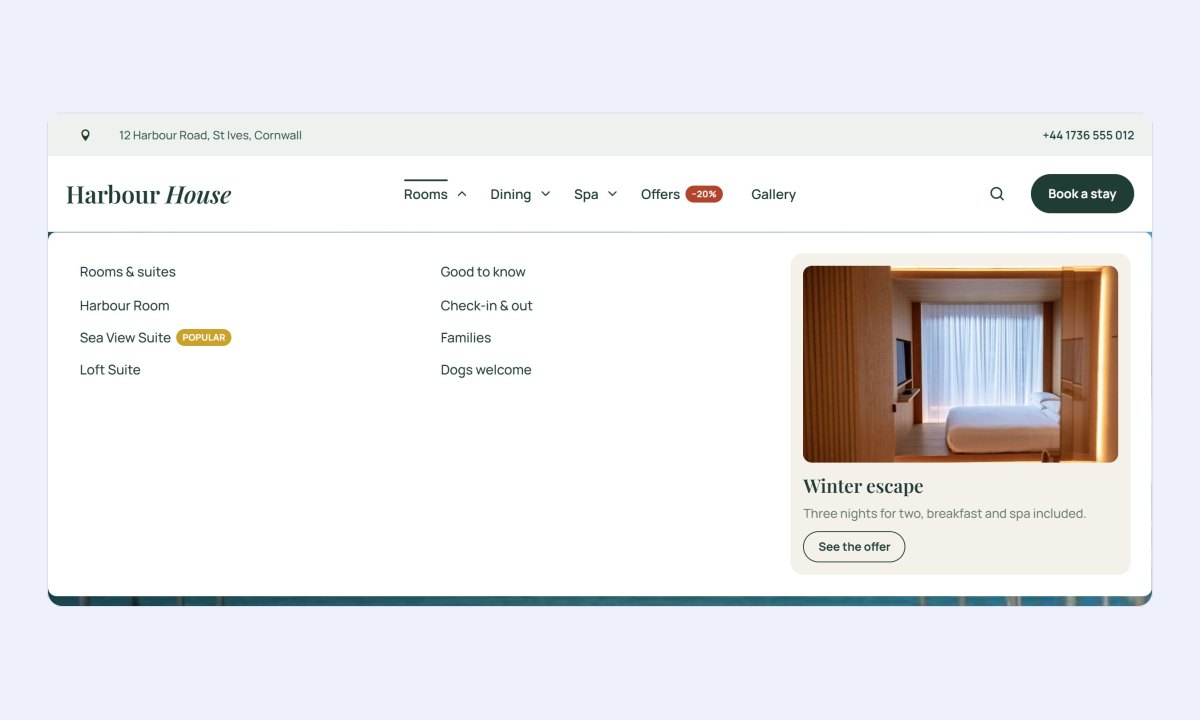
Promo card
Put an offer next to the links: photo, title, text and a button.
Promo layout “Image on top” · Outline button · Lift card · seen in Harbour House
06
Any Divi layout
Pick a Divi Library layout as the panel, so it can hold any Divi module: text, photos, buttons, even a form.
Mega: Divi layout · Width “Full” · seen in Lumière
DROPDOWN SETTINGS
Mix and match, all in the Divi builder
Open on
2 ways to open
Hover
Click
Open animation
4 animations
Fade
Slide up
Scale
Reveal
Animation feel
4 kinds of motion
Smooth
Ease out
Snappy
Spring
Link hover effect
10 effects
Color only
Underline
Overline
Pill
Background slide
Dot
Text roll
Gradient underline
Marker highlight
Magnetic pull
Promo card
3 layouts · 3 button styles
Image on top
Text over the image
No image
Solid button
Outline button
Text link with arrow
Per link
Extras for any link
Icon
Short description
Image
New / Hot / Popular badge
Badge end date
MOBILE MENU
8 mobile menu styles, one click each
Pick a style and the whole phone menu changes: how it opens, how submenus work and where your search, phone number and button go.
MOBILE STYLE
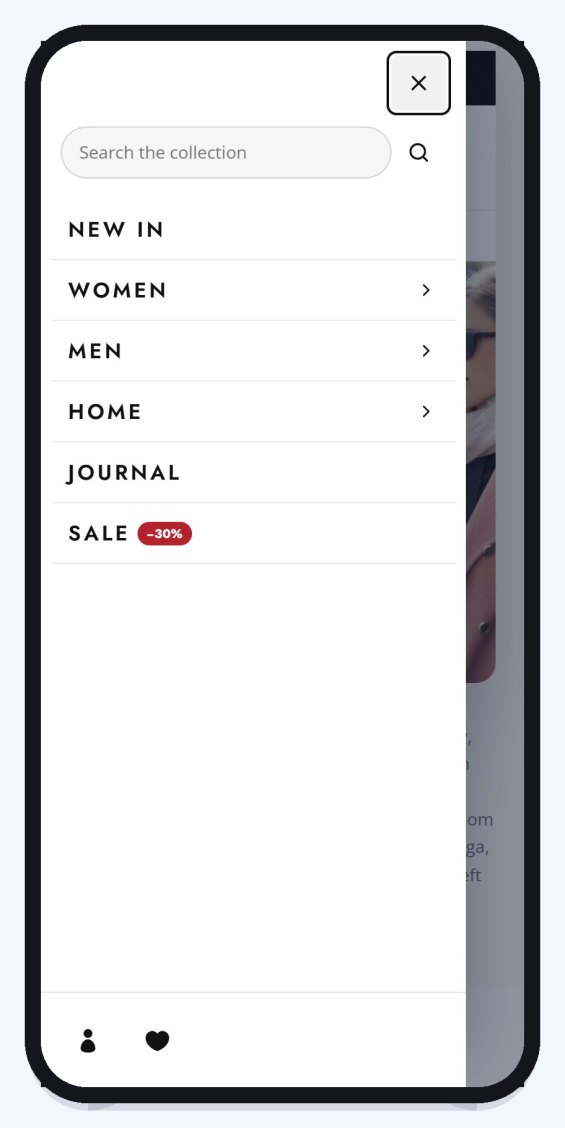
Classic
A drawer slides in from the side. Submenus open as an accordion or drill-down.
Drawer from the left · Drill-down · seen in Maison Vera
MOBILE STYLE
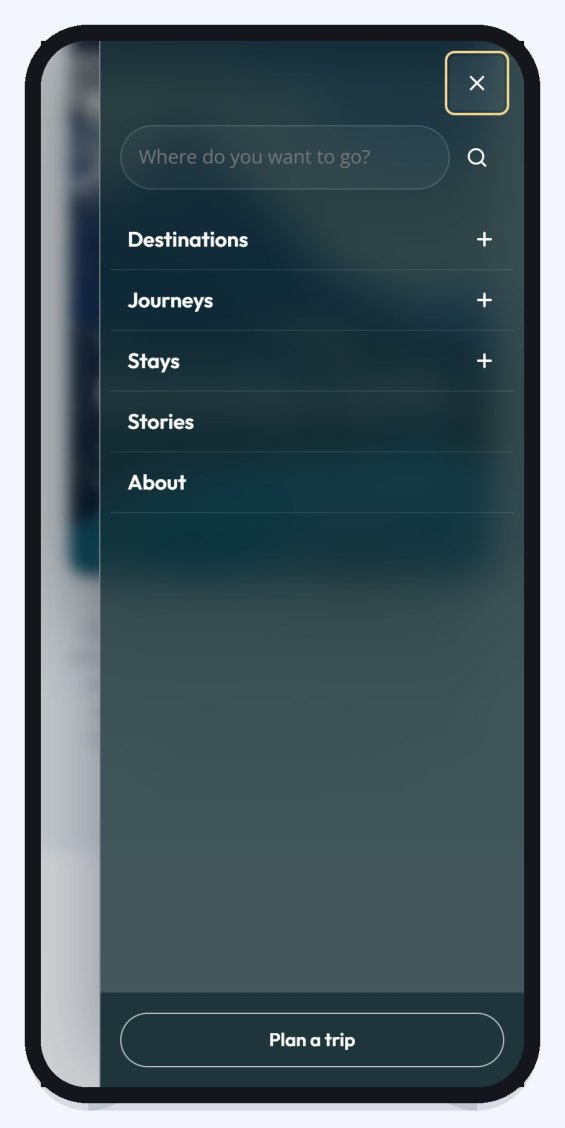
Glass
The page stays visible behind the menu, softly frosted.
Glass (frosted) · seen in Northbound
MOBILE STYLE
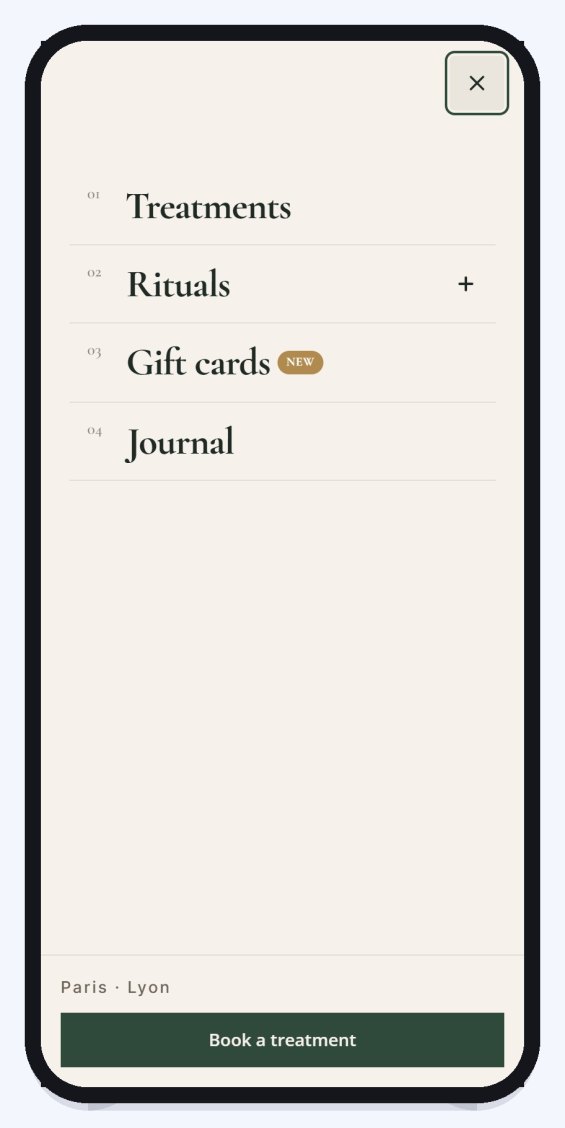
Editorial
Fullscreen, with big numbered links and a button at the bottom.
Editorial (big type) · burger label “Menu” · seen in Lumière
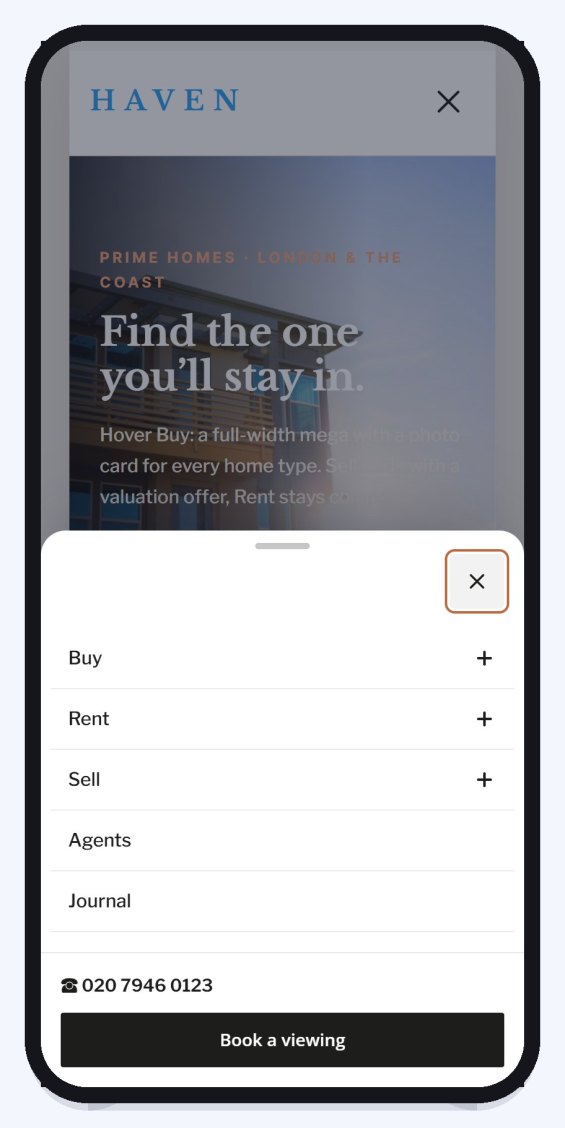
MOBILE STYLE
Bottom Sheet
Slides up from the bottom like a phone app. Drag it down to close.
Bottom Sheet · phone number in the menu · seen in Haven
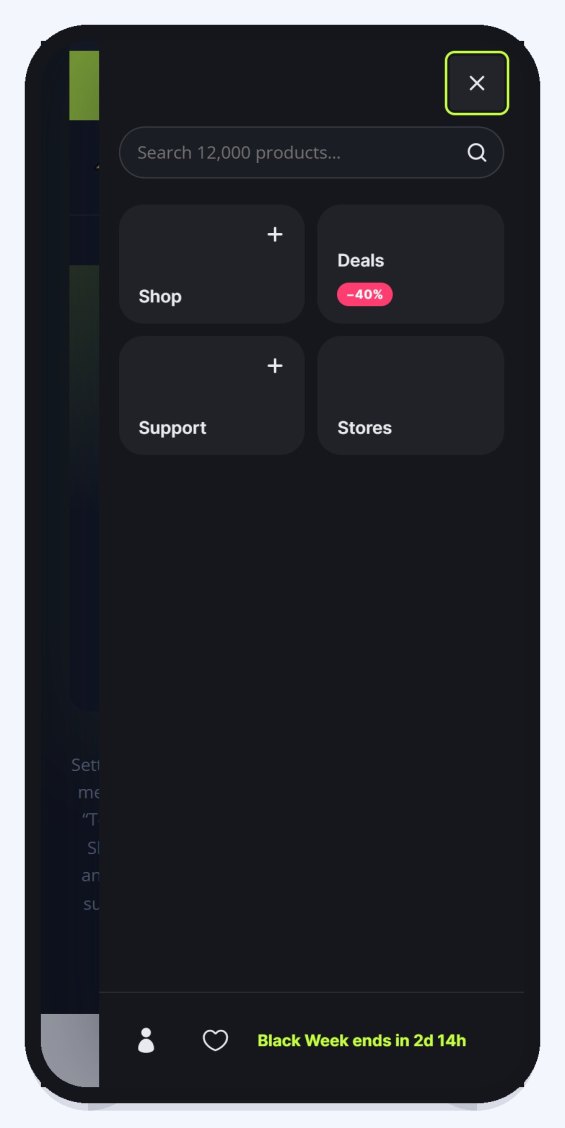
MOBILE STYLE
Tiles
The top links become big tiles, easy to tap with a thumb.
Tiles (app grid) · search in the menu · seen in Volt
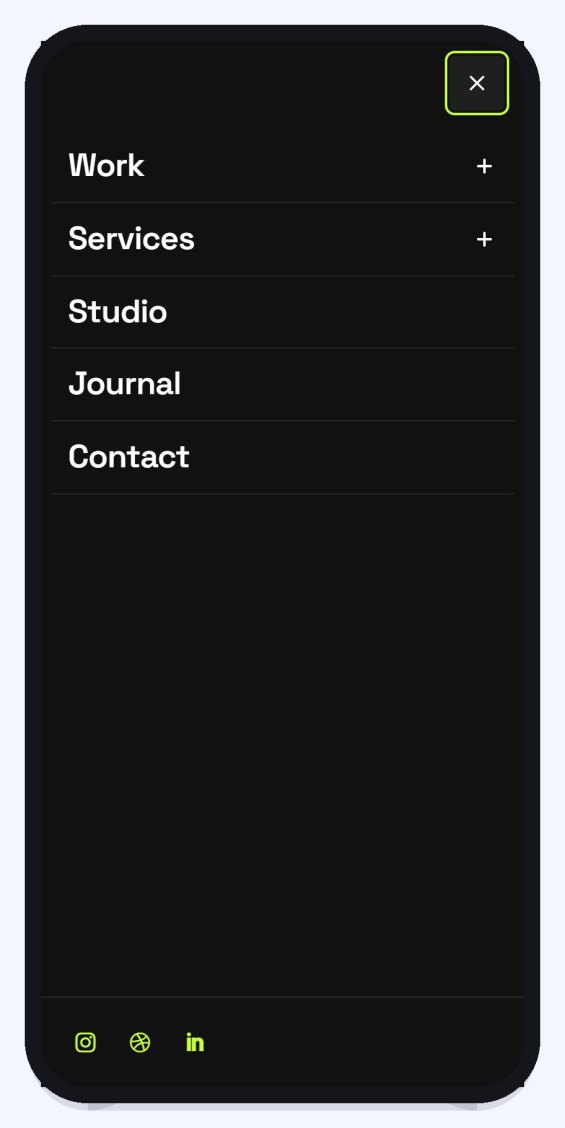
MOBILE STYLE
Circle Expand
The menu grows out of the burger in a circle.
Circle Expand · Divi icon burger · seen in Kinetic
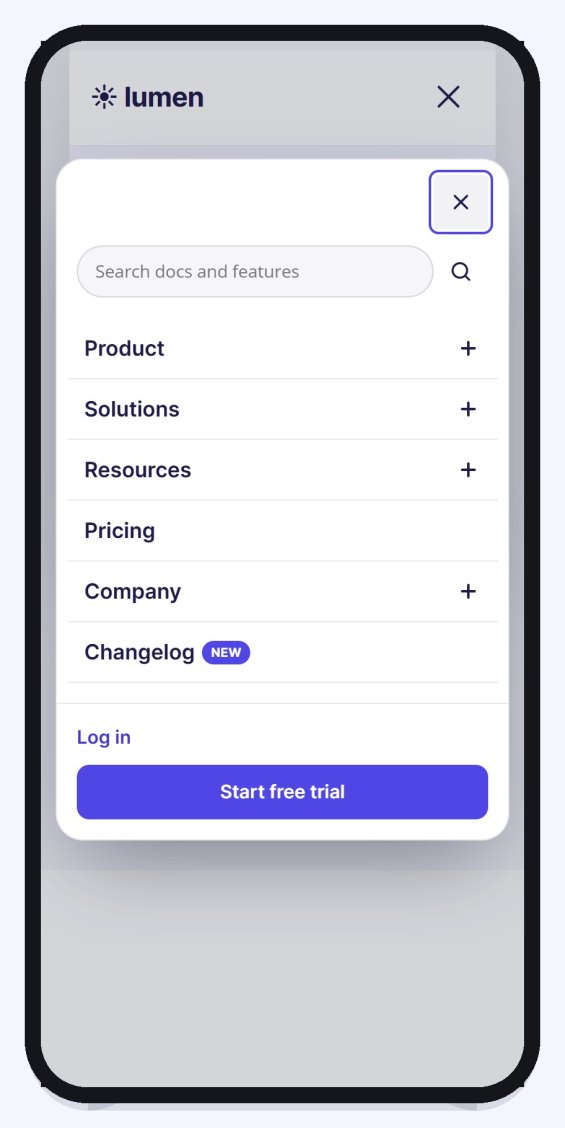
MOBILE STYLE
Island
A floating rounded panel under the header, with search and buttons.
Island (floating panel) · seen in Lumen
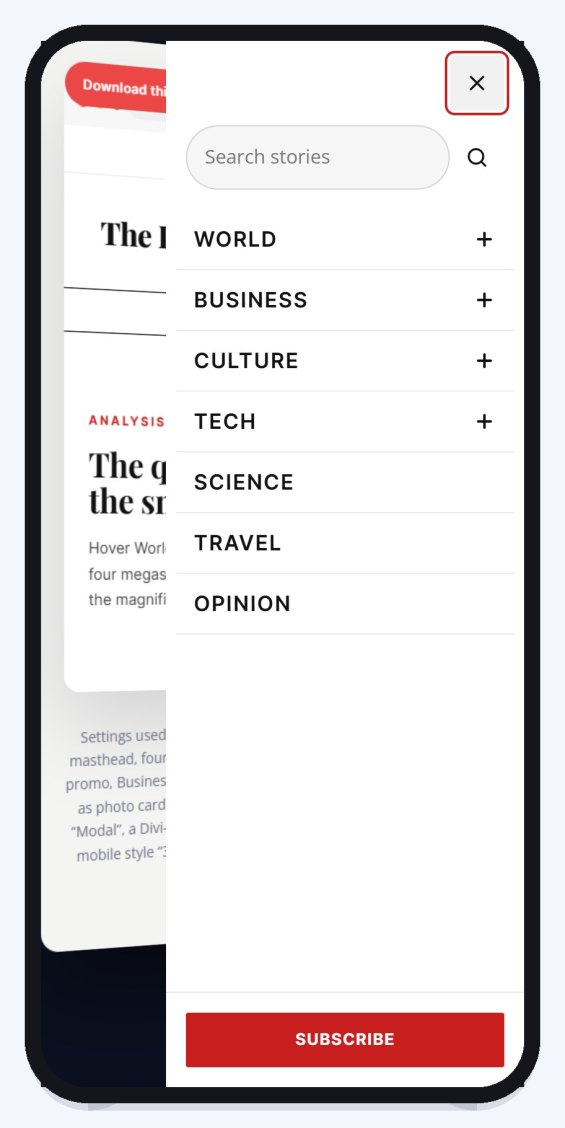
MOBILE STYLE
3D Push
The page tilts back beside the menu.
3D Push (page tilts) · burger label “Sections” · seen in The Ledger
MOBILE SETTINGS
Fine-tune how the phone menu works
Opens as
4 ways in
Drawer from the right
Drawer from the left
Slide down under the header
Fullscreen
Submenus
2 modes
Accordion
Drill-down
Burger icon
Lines, icon or image
Animated lines
Divi icon
Your image
Text label
Burger animation
5 animations
X
Arrow
Squeeze
Spin
Morph
FEATURES
Everything a professional header needs
One module replaces the theme header, a mega menu plugin and a mobile menu plugin.
Header builder
Three rows (top, main, bottom) with left, centre and right slots. Place items with two buttons, no numbers.
Mega menus
Columns from your WordPress menu, photo cards, a promo card, or any Divi Library layout.
8 mobile menu styles
Classic, Glass, Editorial, Bottom Sheet, Tiles, Circle Expand, Island and 3D Push, with accordion or drill-down submenus.
Sticky header
Stick, hide on scroll down, shrink, a different logo, colours that change over dark sections, and a reading progress bar.
Badges, icons, descriptions
Per link: New / Hot / Popular badges that expire, icons, a short description, and who sees it.
Keyboard and screen readers
Full keyboard support, visible focus, and the menu is rendered once (no duplicate menus).
Fast pages
No jQuery, deferred scripts, mega panels loaded when needed, no layout shift.
All in the Divi builder
Menu links, mega menus and badges are edited in the module, with Undo. No trip to a separate dashboard.
HOW TO
Build your header in four steps
1
Add the module
Open the Theme Builder, edit the global header and add DG Advanced Menu. A logo, menu, search and button appear by themselves.
2
Choose the menu
Pick a WordPress menu in the Menu item. Under Menu Links, expand a link to turn it into a mega menu, add a badge or an icon.
3
Arrange the rows
Give each item a Row (top, main, bottom) and an Align (left, centre, right). Add a notice bar, social icons or a phone number.
4
Style it
Set your accent colour and font in Quick Style, pick a mobile menu style, and turn on Sticky if you want it.
FAQ
Advanced Menu questions
How the header module works with Divi 5, menus and mobile.
More questions? Ask our team, we reply within 24 hours.
Yes. Add it to the global header (or any header template) in the Theme Builder. It also works in a normal page section.
Yes. Every design on the demo page has a “Download this section” button. Import the file in the Divi builder, then change the logo, links and colours.
Yes. Turn on Sticky. It can hide while scrolling down and come back on the way up, shrink, swap the logo, and change colours over dark sections.
No. DG Advanced Menu is made for Divi 5.
REVIEWS
Voices of Satisfaction
Hear directly from our cherished clients.
★★★★★
“
DiviGrid made my portfolio look professional without any developer help. The filterable grid module saved me hours of work!

Mohammad Sobhy
★★★★★
“
Customer service is fantastic the DiviGrid and Divi Image Mask Slider are winners and that starts with a great team backing them. Lots of unique options thanks for the support

Tim Kerney
★★★★★
“
It’s a wonderful world to discover. However, I would appreciate some improvement in: – translation (french for instance) – documentation (the search engine is too weak).

Pierre Moser
★★★★★
“
I’ve had almost no issues with Divigrid – like maybe 2 in one year. Their support was immediate and with a resolution. I’ve been working with WordPress & Divi for over six years now and have tried many plugin module developers. Divi Grid has given me consistently excellent results so their plugins are my primary choice.

Bonnie Unsworth
★★★★★
“
A fantastic selection of plugins which are intuitive to use. When I had a query support was on hand and very quick to resolve my question.

Heather Pedley
★★★★★
“
Great software at an amazing price. I like it.

Pedro de Pradines
★★★★★
“
This is a great plugin. there is no doubt. work well all features are like magic. requesting you divigrid team to create tutorials also on YouTube for some advanced options and open a forum site. It has vast features to talk about.

Shezan Ahmed
★★★★★
“
I’m relatively new to Divi, but found this plug-in to be very helpful making a site just the way I want to see it without having to jugle other items.

Thomas Bogan
★★★★★
“
I’m so happy with customer service! While I’m not a beginner with Divi I needed help and it came quickly. I’m really enjoying everything I can do with the content grid and can’t wait to get into the list grid!

Valerie Robitaille
Explore more DiviGrid modules
Off Canvas
Slide-in panels and side menus with 14 animations.
Sticky Video
Videos that keep playing in a corner while visitors scroll.
Multiple Button
Groups of buttons with 31 hover effects.
Advanced Heading
Headings with highlights, outlines and reveals.
GET STARTED
Build a header you’re proud of
DG Advanced Menu is part of DiviGrid, together with every other DiviGrid module.
14-day money-back guarantee
Secure checkout
Support replies within 24 hours