

Build a featured product or category grid for your shop with cards of different sizes. Five steps in the Divi Builder, each with a screenshot from Divi 5.
To build a product grid with the Content Grid module, add DG Content Grid to a full-width row, add one grid item per product or category with an image, title, subtitle, text and button, then turn on Grid Layout to pick one of 19 patterns or set your own spans. You fill in each card yourself, so it suits hand-picked sections. To list products automatically, use the Post Grid module.
When to use Content Grid in a shop
Content Grid arranges cards in any shape: equal cards, or a bento layout where one large card sits beside smaller ones. Every card can hold an image or icon, a title, a subtitle, text and a button. In a WooCommerce shop it works well for sections you curate by hand:
- A "featured products" block on the home page, with one large hero product.
- A category grid that links to your shop categories.
- A collection or lookbook section for a campaign.
Need the grid to update itself? Content Grid cards are written by hand. If you want products pulled from WooCommerce, with the price and an Add to cart button, use the Post Grid module and choose products as the post type.
What you need
- The Divi theme or the Divi Builder plugin (Divi 5 or Divi 4). The screenshots below are from Divi 5.
- The DiviGrid plugin, which includes the DG Content Grid module.
- WooCommerce, with the products or categories you want to feature.
How to build a product grid with Content Grid
Add the DG Content Grid module
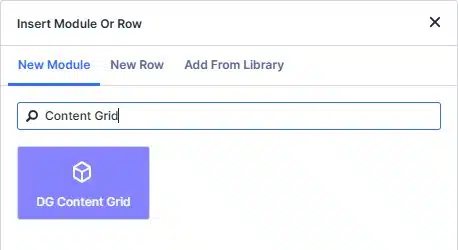
Open your shop page or home page in the Divi Builder. Add a full-width row with one column, click the grey plus icon, type Content Grid and click DG Content Grid.
Add a card for each product or category
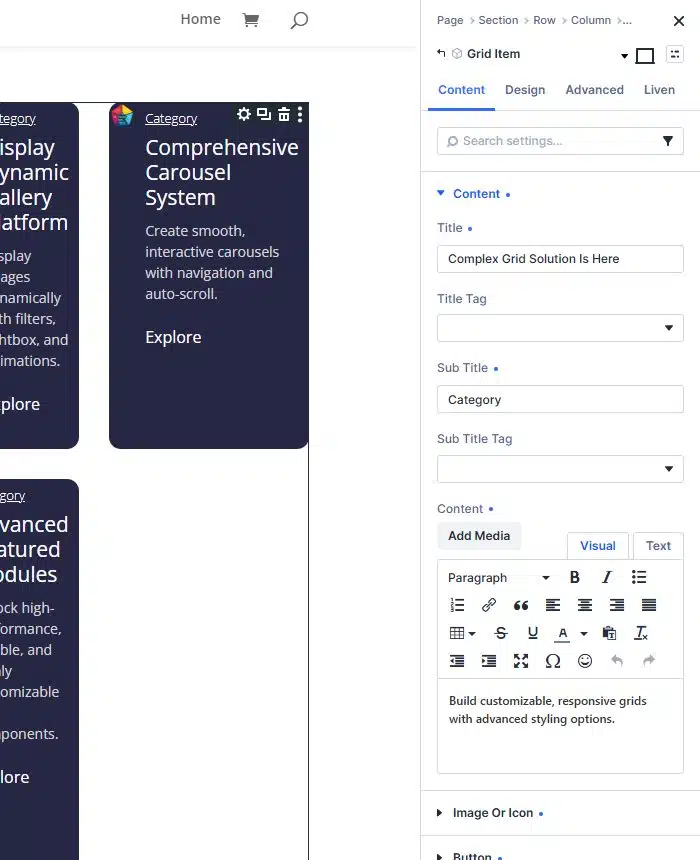
Click Add Content Grid Item once per card. In each item, Content holds the Title, a Sub Title (good for a price or a category) and the text. Image Or Icon holds the product photo, and Button holds the link to the product or category page.
Choose the layout
Open Grid Settings in the main module. With Grid Layout off, you set Maximum Column Number, Maximum Row Number and Grid Gap for an even grid, like the two-column grid below.
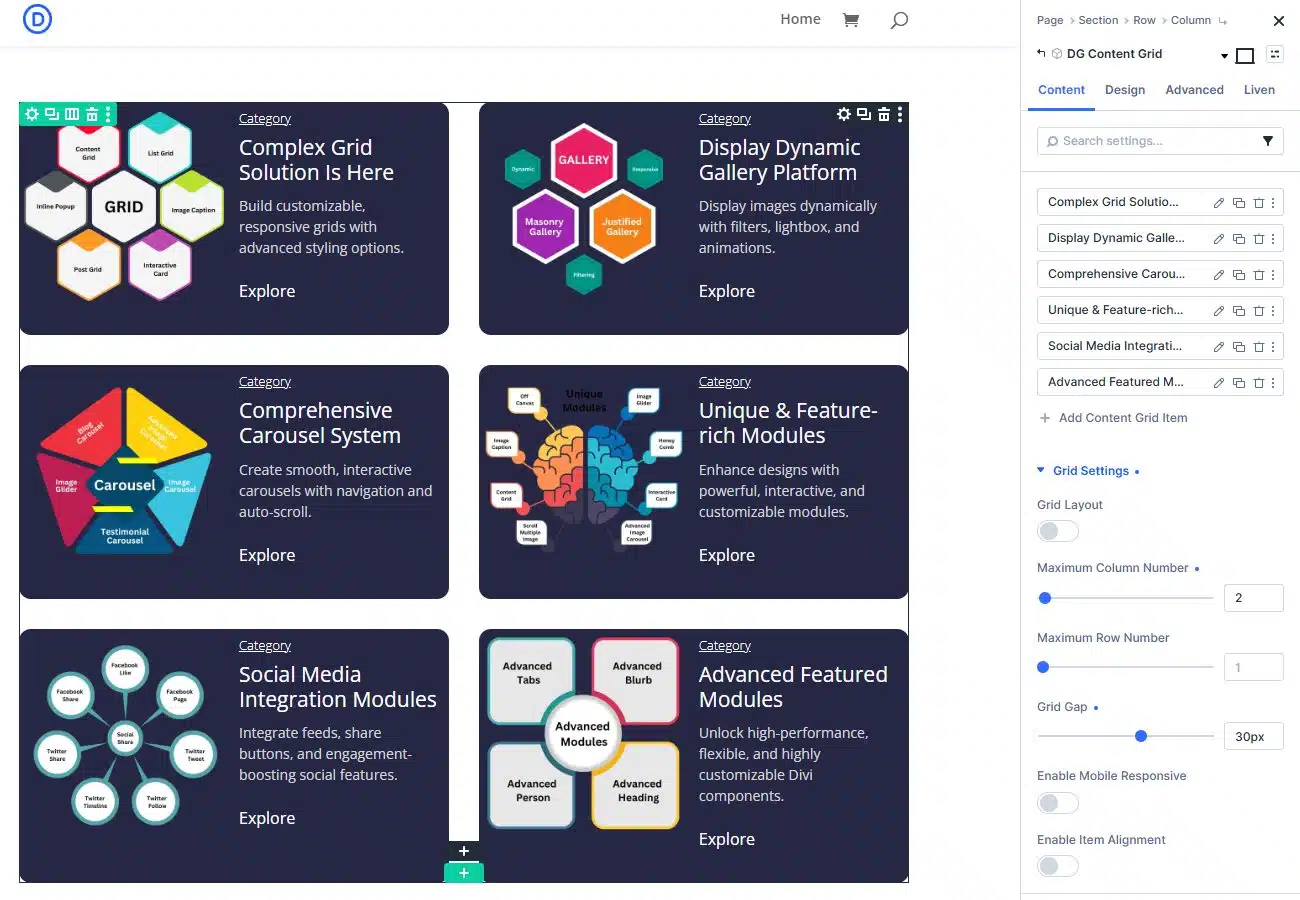
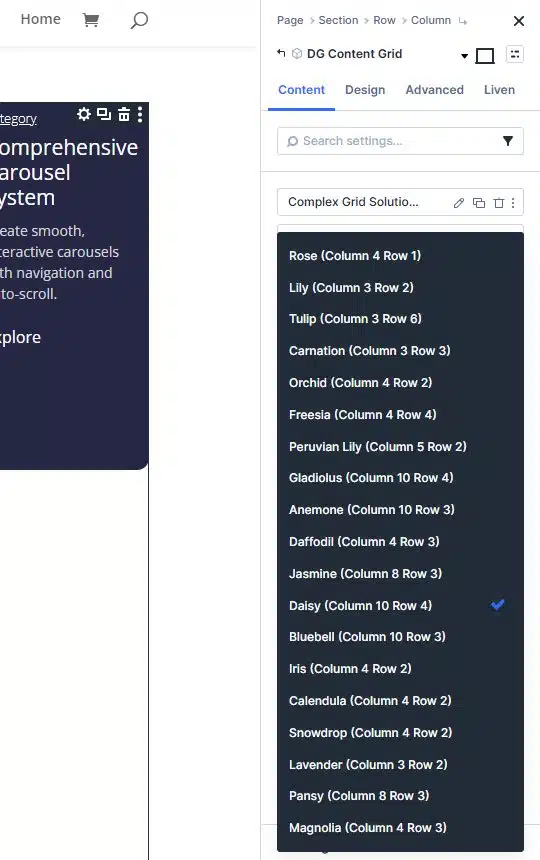
Turn Grid Layout on to pick one of 19 named patterns. Each name tells you its size, for example Lily is 3 columns by 2 rows and Freesia is 4 by 4.
Make one card bigger
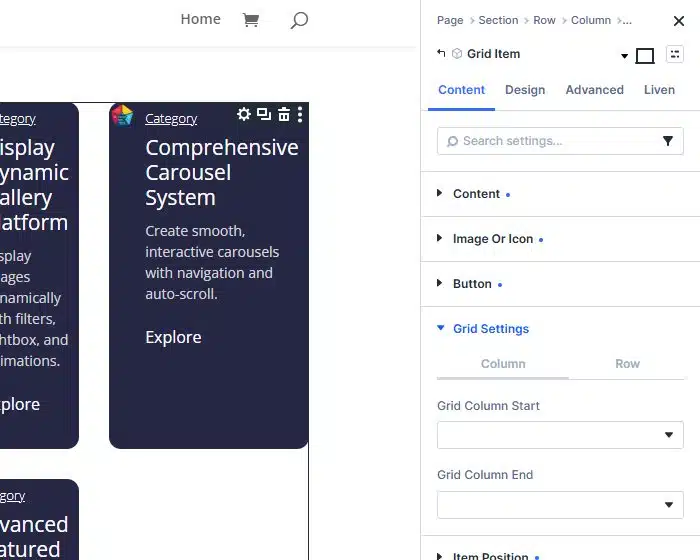
Open an item and expand its Grid Settings. On the Column tab, Grid Column Start and Grid Column End decide how many columns the card spans. The Row tab does the same for height. A card that spans two columns and two rows is a good home for your best seller.
Style, then check phones
Choose a hover effect and style the cards in the Design tab. Then switch the builder to tablet and phone view. Turn on Enable Mobile Responsive in Grid Settings to show the cards in one full-width column on phones, and click Save.
Settings worth knowing
| Setting | What it does |
|---|---|
| Image or icon | Use a photo or a Divi icon, placed on the top, left, right or bottom of the card. |
| Focus Item | A hover effect that fades the other cards back, so the visitor reads one offer at a time. |
| Content Reveal | A hover effect that shows the text when a card is hovered. |
| Animated border | A moving gradient frame with up to six colours and its own width and radius. |
| Order and alignment | Reorder the title, subtitle, text and button, and place the content in any of nine positions. |
Content Grid or Divi rows and blurbs?
Rows and Blurb modules work for equal cards. A content grid is easier when cards differ in size or need hover effects.
| Task | DG Content Grid | Divi rows and blurbs |
|---|---|---|
| Cards of different sizes in one block | Yes, with spans or patterns | Only with nested rows |
| Reorder title, text and button per card | Yes | Needs custom CSS |
| Hover focus and content reveal | Built in | Needs custom CSS or JavaScript |
| Animated gradient border | Built in | Needs custom CSS |
| Phone layout | One switch for a single column | Set per row and column |
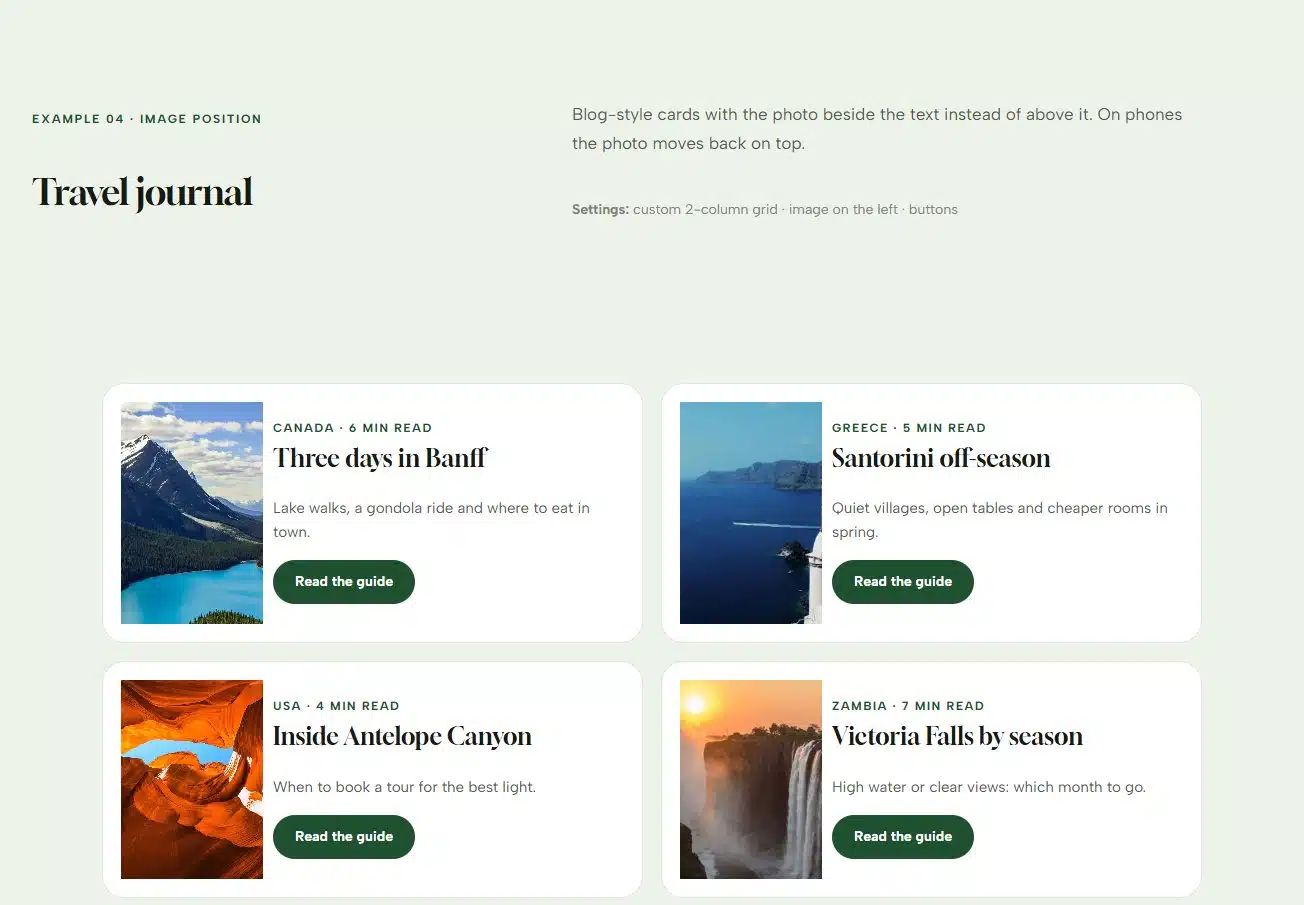
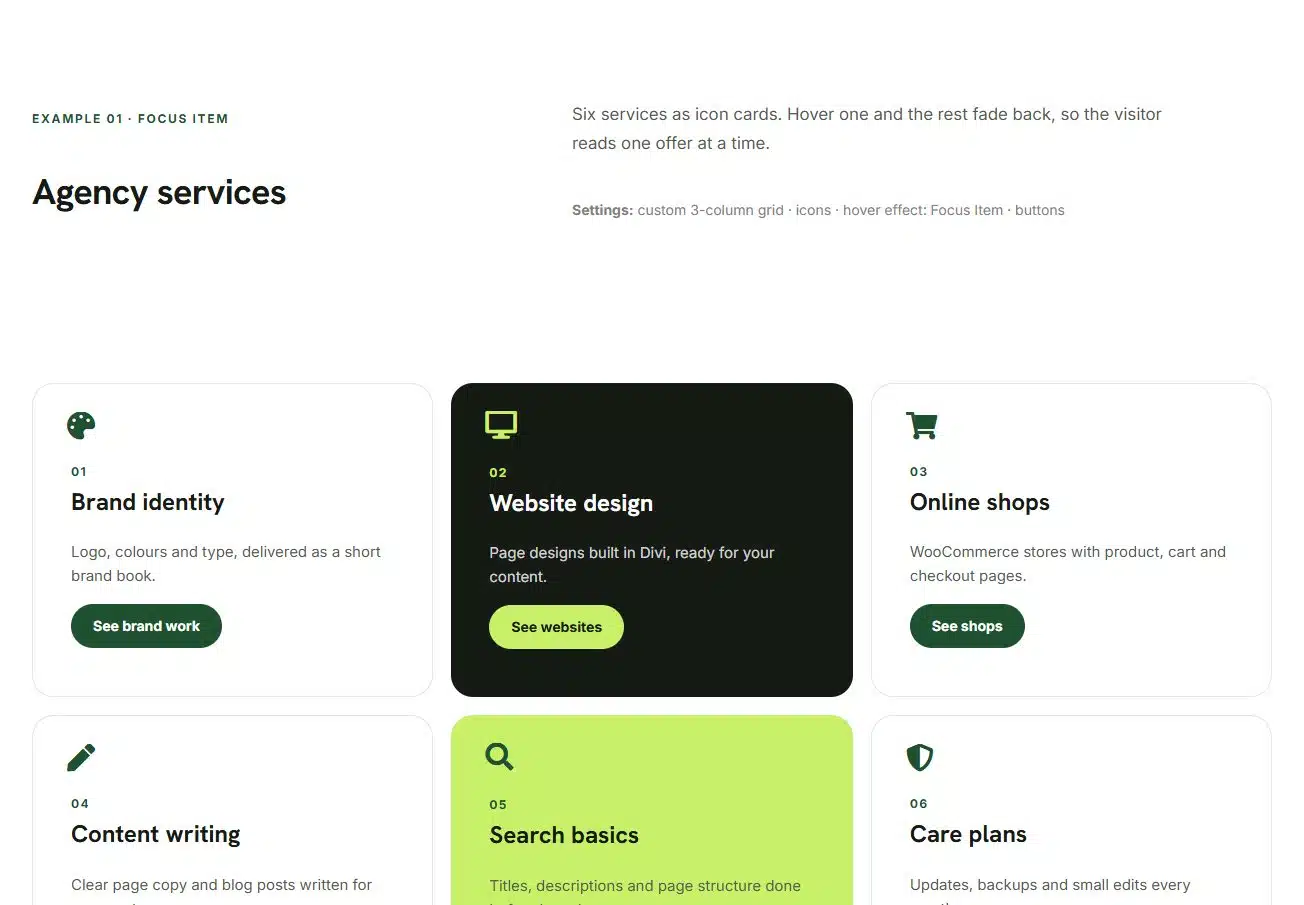
See the 19 patterns and four example grids for an agency, a restaurant, a law firm and a travel journal.
Frequently asked questions
Does Content Grid pull products from WooCommerce automatically?
No. You add each card yourself, which suits hand-picked sections. To list products automatically with the price and an Add to cart button, use the Post Grid module with products as the post type.
Can I make my own bento layout?
Yes. Set the column count and gap, then give each card a row and column start and end. Or turn on Grid Layout and pick one of 19 ready-made patterns.
How does the grid look on phones?
Turn on Enable Mobile Responsive in Grid Settings to show the cards in one full-width column on phones. Spacing and sizes can also be set per device.
Does Content Grid work in Divi 5 and Divi 4?
Yes. The Content Grid module works in both Divi 5 and Divi 4.
See the Content Grid module, read the module documentation or compare the plans.






0 Comments